> ## Documentation Index
> Fetch the complete documentation index at: https://docs.anygen.io/llms.txt
> Use this file to discover all available pages before exploring further.
# How to Call AnyGen from OpenClaw and Other AI Agents
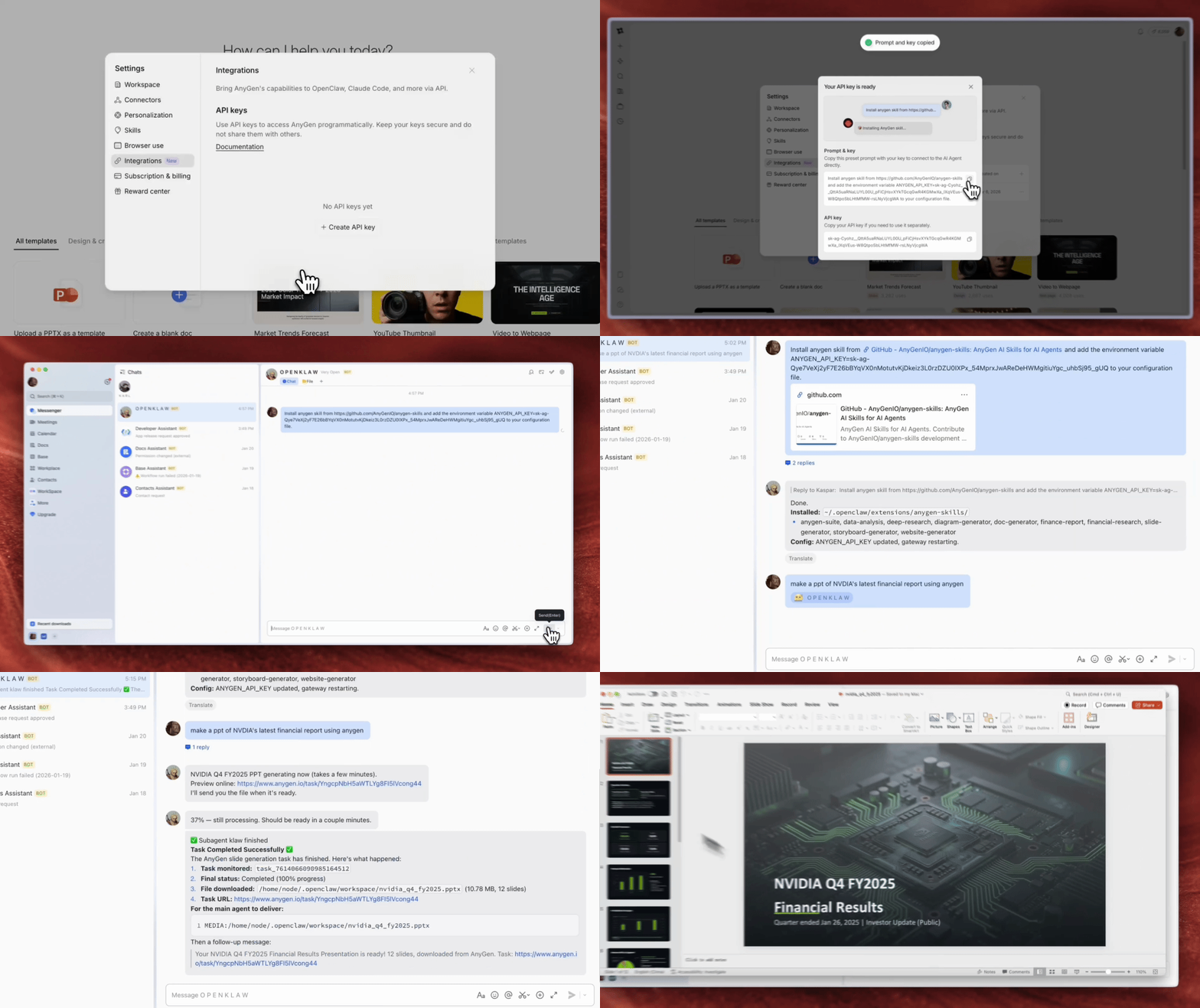
> Connect AnyGen to OpenClaw or Claude Code in minutes. Install AnyGen Skills, add your AnyGen API key, and start generating docs, slides, websites, and more directly from your agent.
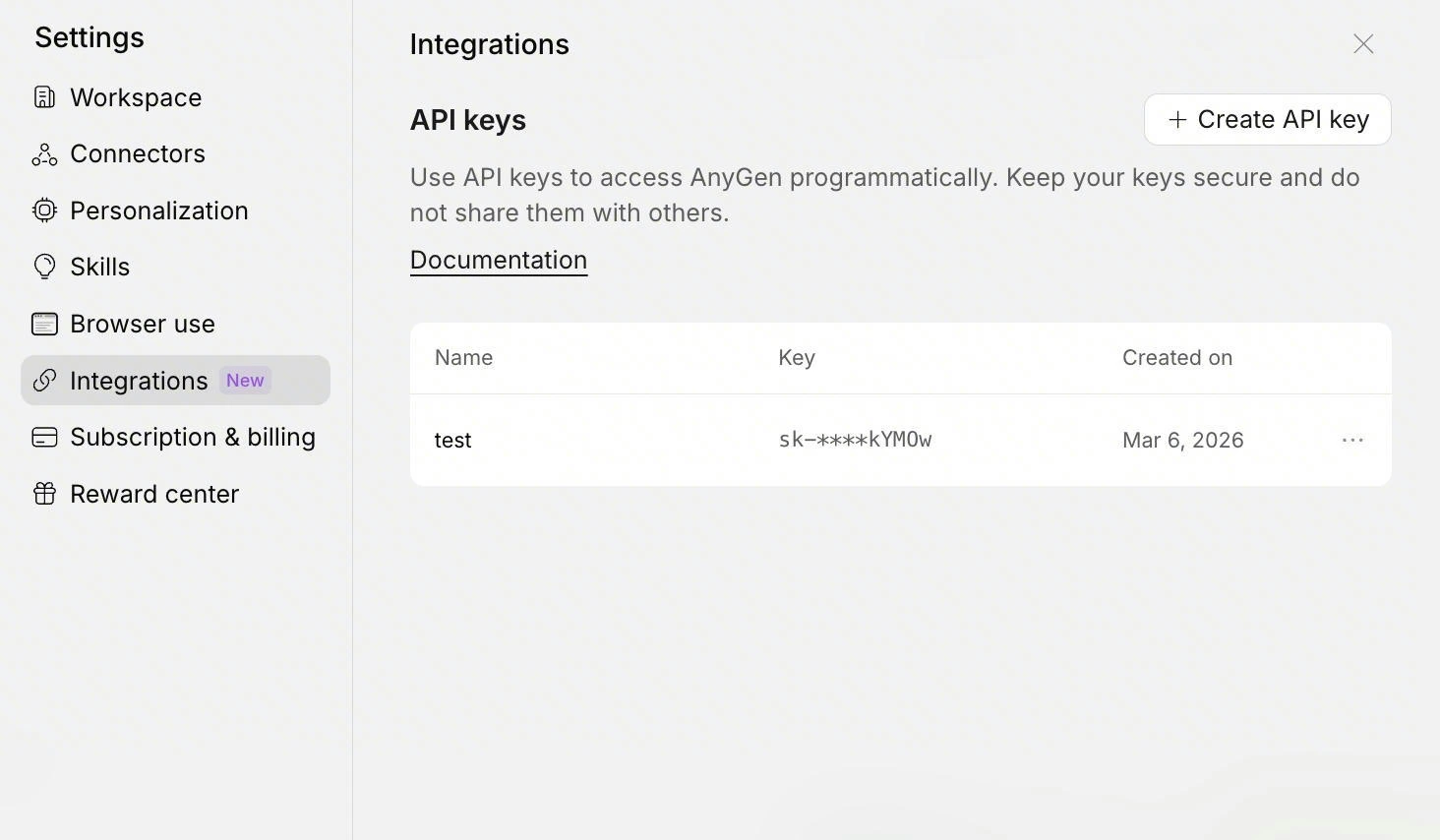
## Step 1 — Get your AnyGen API key
Get your AnyGen API key and keep it ready for setup.\
Your key should look like this:
```bash theme={null}
sk-xxx
```
 ## Step 2 — Install AnyGen Skills
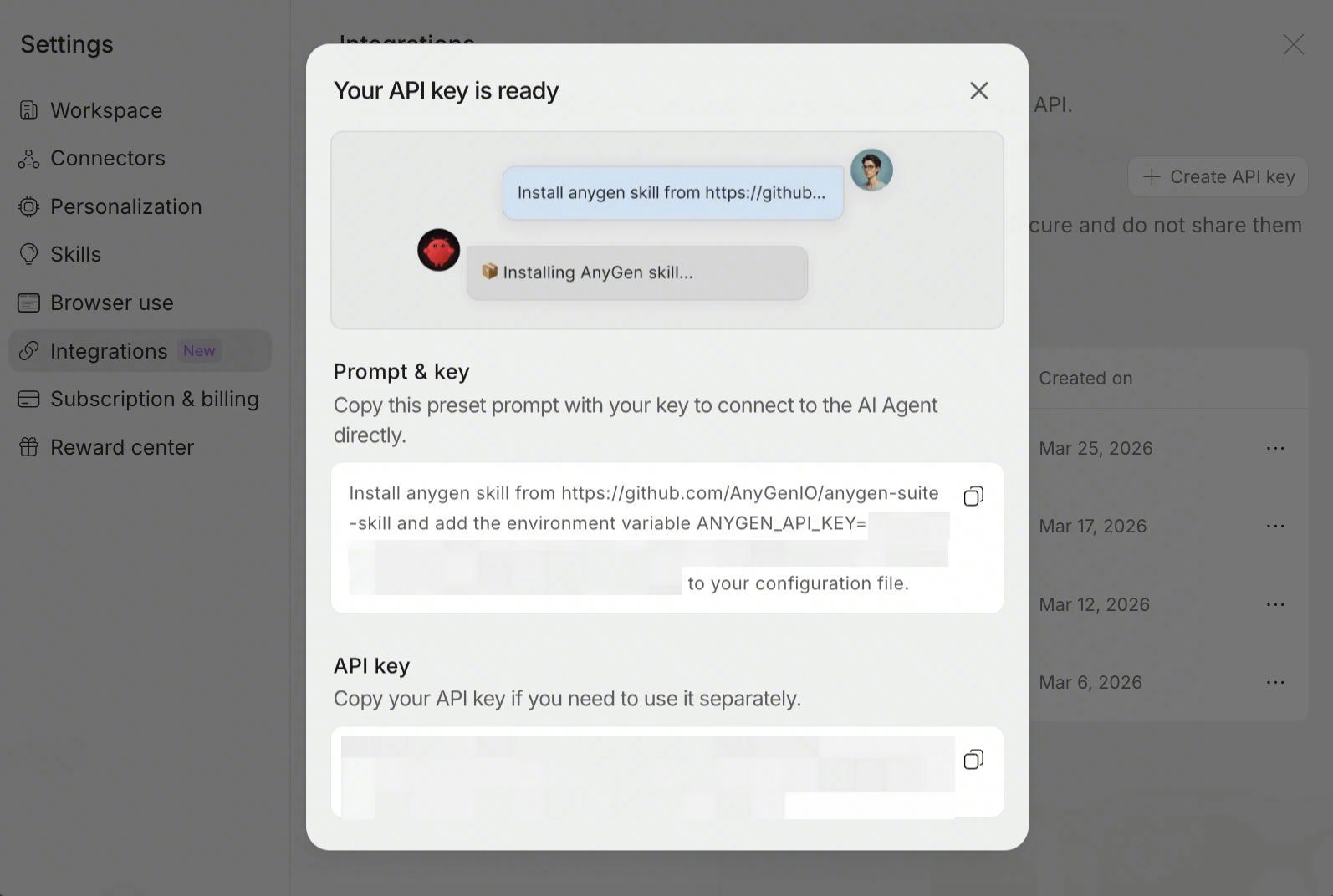
Install AnyGen Skills (Tell your agent):
```txt theme={null}
Install anygen skill from GitHub - AnyGenIO/anygen-skills: AnyGen AI Skills for AI Agents and add the environment variable ANYGEN_API_KEY=sk-xxx to your configuration file.
```
## Step 3 — Test your setup
Once your skills are installed and your API key is set, try one of these prompts in your agent:
```text theme={null}
Make a 5-slide product intro deck for AnyGen.
```
```text theme={null}
Write a one-page product overview document for AnyGen.
```
```text theme={null}
Generate a landing page for a project.
```
If your agent starts creating an AnyGen task, your setup is working.
## Step 2 — Install AnyGen Skills
Install AnyGen Skills (Tell your agent):
```txt theme={null}
Install anygen skill from GitHub - AnyGenIO/anygen-skills: AnyGen AI Skills for AI Agents and add the environment variable ANYGEN_API_KEY=sk-xxx to your configuration file.
```
## Step 3 — Test your setup
Once your skills are installed and your API key is set, try one of these prompts in your agent:
```text theme={null}
Make a 5-slide product intro deck for AnyGen.
```
```text theme={null}
Write a one-page product overview document for AnyGen.
```
```text theme={null}
Generate a landing page for a project.
```
If your agent starts creating an AnyGen task, your setup is working.