> ## Documentation Index
> Fetch the complete documentation index at: https://docs.anygen.io/llms.txt
> Use this file to discover all available pages before exploring further.
# January 2026
> New features and improvements released in January 2026.
## 🗂️ Library: Unified Asset Management
The Resource Library helps you manage and reuse all your AnyGen historical outputs more efficiently.
* **View History**: Access previously generated content.
* **Quick Search**: Find historical artifacts via keywords.
* **Type Filtering**: Filter by content type (docs, slides, etc.) to locate results faster.
## 📄 Document: Formula Capabilities Upgrade
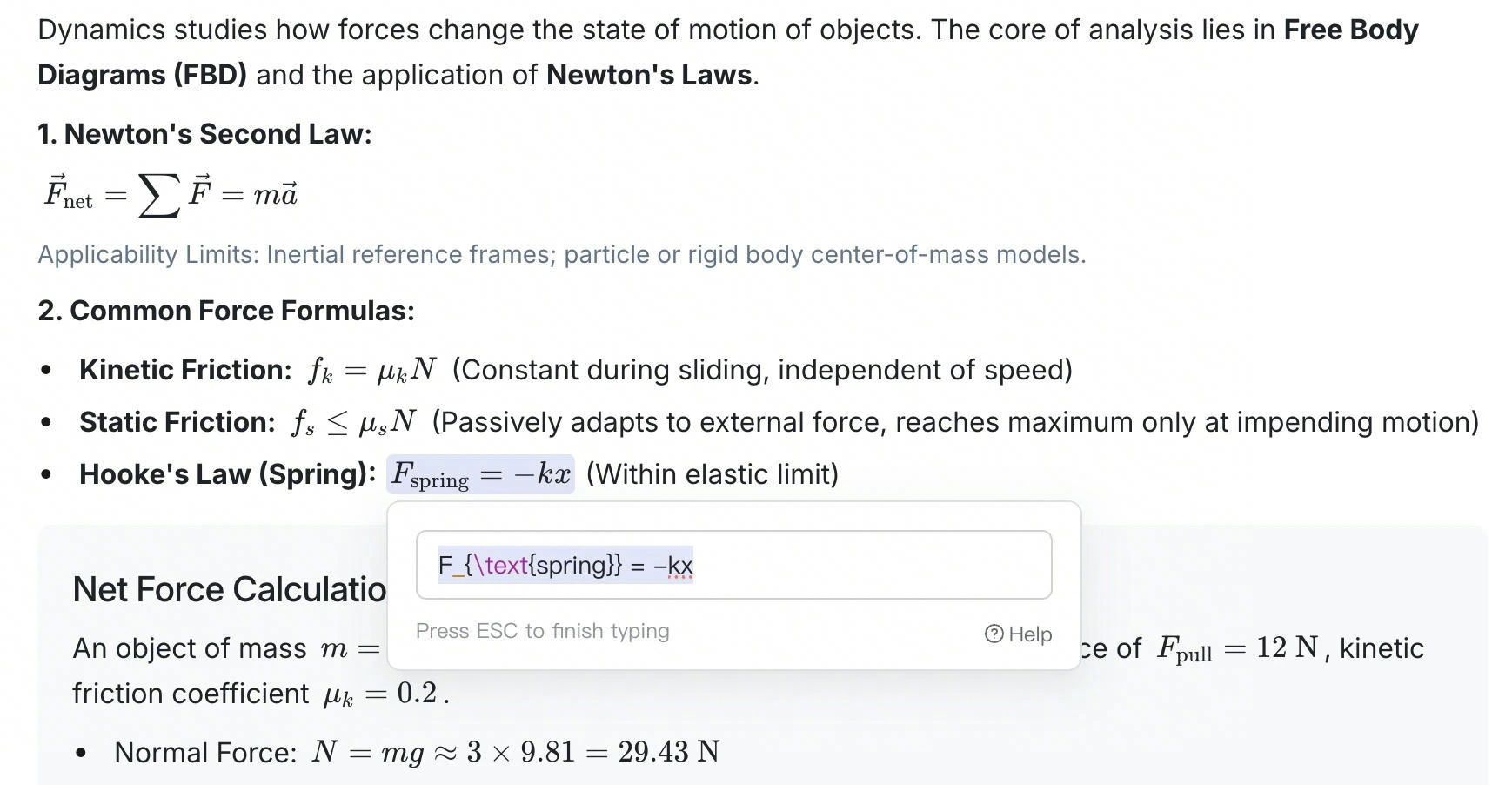
Documents now fully support formula-related capabilities, covering the entire workflow from generation to modification.
* **Direct Generation**: Generate required formulas instantly.
* **Clear Display**: Present formulas in a clear, standardized format.
* **Flexible Editing**: Edit and adjust formula content at any time.
Whether for papers, research notes, derivations, or academic reports, you can focus on "calculations and conclusions" without being bogged down by formatting.
 ## 📄 Document: AI Revision Visualization & Review Mode
Designed to improve control over AI modifications, especially for documents requiring iterative refinement.
* **Automatically highlighted changes**: When using Ask AI to modify content, the system automatically highlights changes to visualize differences.
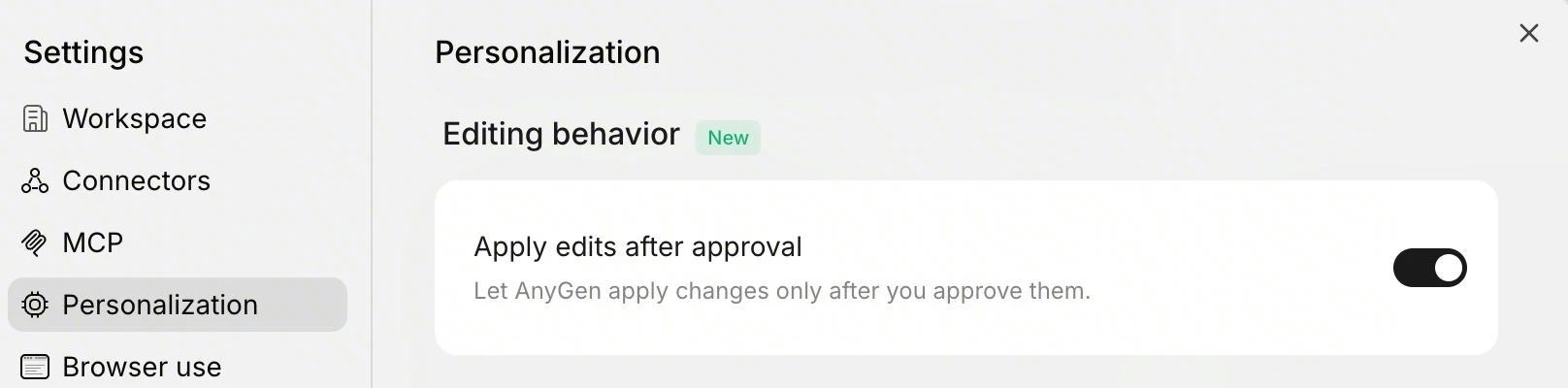
* **Revision Review Mode**: Enable "Apply edits after approval" to require manual approval for AI changes, ensuring precision for rigorous content.
## 📄 Document: AI Revision Visualization & Review Mode
Designed to improve control over AI modifications, especially for documents requiring iterative refinement.
* **Automatically highlighted changes**: When using Ask AI to modify content, the system automatically highlights changes to visualize differences.
* **Revision Review Mode**: Enable "Apply edits after approval" to require manual approval for AI changes, ensuring precision for rigorous content.
 ## ✨ Slides: Template Reuse & Flexible Chart Editing
* **Upload PPTX as Template**: Use your existing company or brand templates to quickly generate new content based on original structure and style.
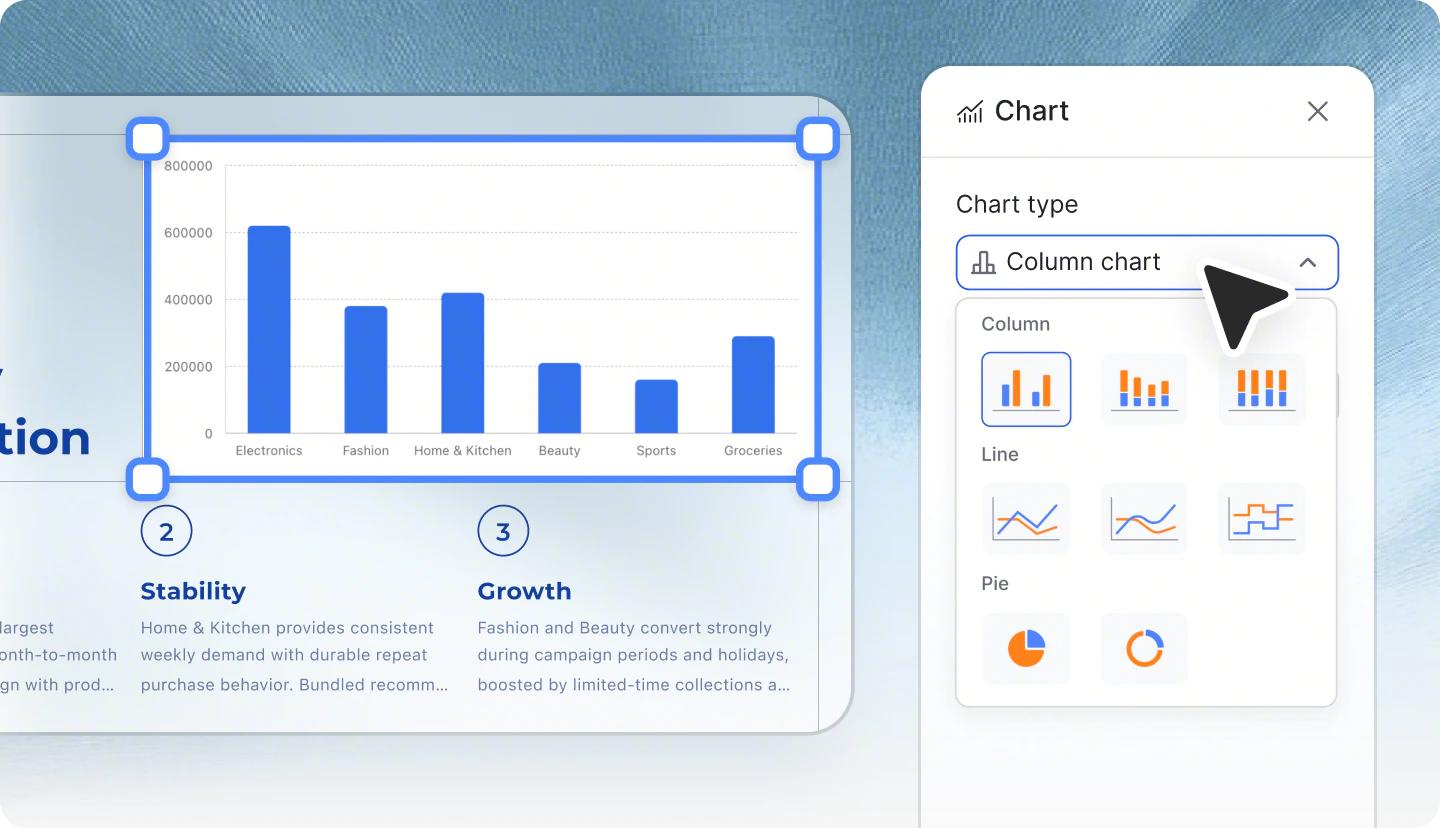
* **Adjust Chart Styles**: Flexibly modify chart appearance and layout in slides to make key data and core conclusions stand out.
## ✨ Slides: Template Reuse & Flexible Chart Editing
* **Upload PPTX as Template**: Use your existing company or brand templates to quickly generate new content based on original structure and style.
* **Adjust Chart Styles**: Flexibly modify chart appearance and layout in slides to make key data and core conclusions stand out.
 ## 📂 Project: Intelligent Content Management & Collaboration
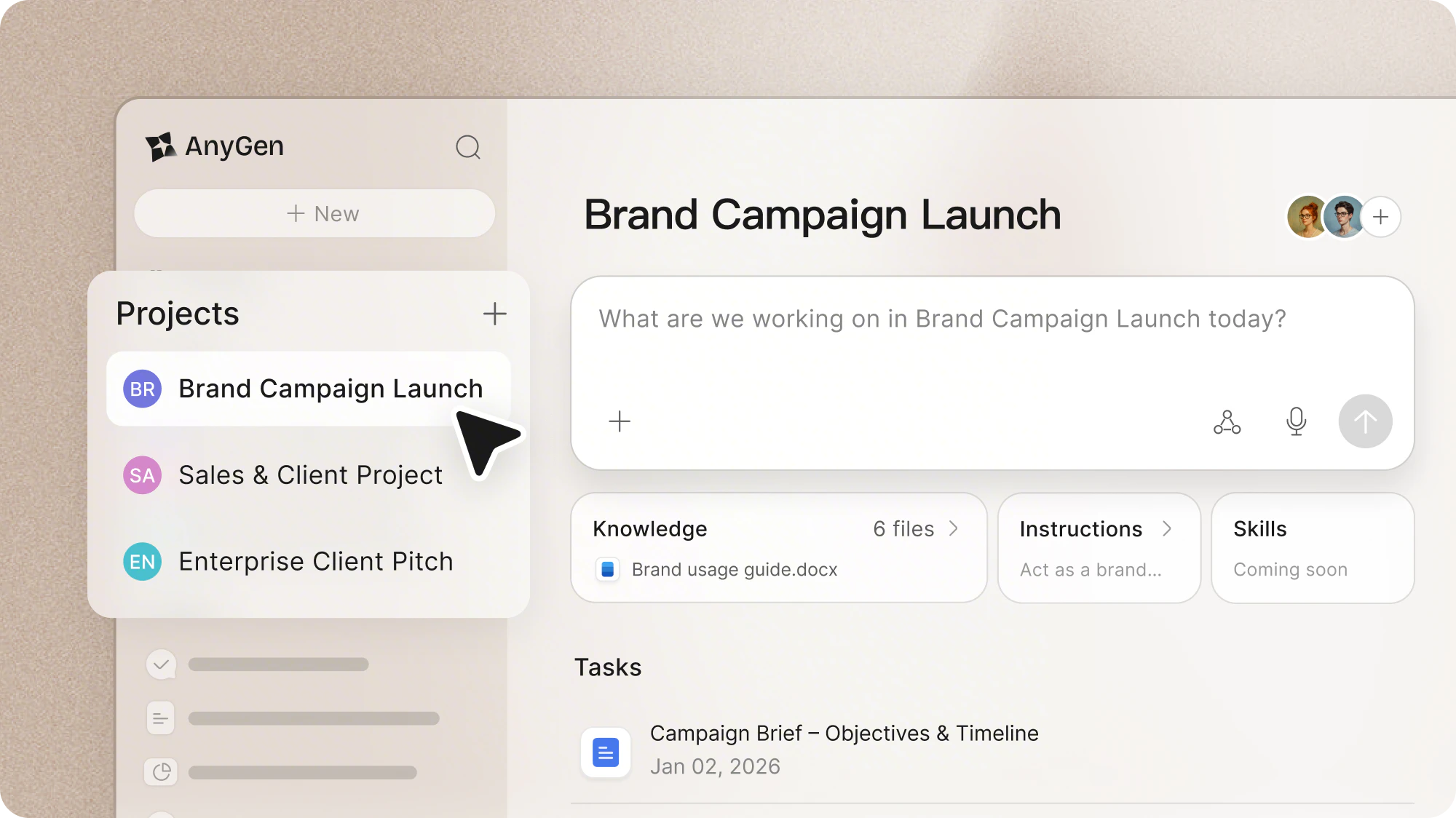
Projects are smart spaces designed to give AnyGen full context, so AI works with your files, background knowledge, and rules. Whether for personal deep work or team collaboration, Projects help produce outputs that are relevant, precise, and aligned with your goals.
**Core Features:**
* **Contextual Memory**: Upload documents, research, or project data. AnyGen remembers and references them automatically for future outputs, reducing repetitive input.
* **Project Instructions**: Set rules and standards to keep your outputs consistent and on target.
**Typical Use Cases:**
* **Personal Deep Work**: For writers and researchers. Create a Project and upload relevant past work so AI remembers your style and context for faster, consistent results.
* **Enterprise Knowledge Base**: For team leads and PMs. Upload policies or case studies so AI retains organizational knowledge, helping new members onboard faster.
💡 **Quick Start Tip**: For best results, manage Projects by theme. Example: “2026 Market Research” and “Personal Content Creation” should be separate Projects. This keeps AI outputs focused and contextually relevant.
## 📂 Project: Intelligent Content Management & Collaboration
Projects are smart spaces designed to give AnyGen full context, so AI works with your files, background knowledge, and rules. Whether for personal deep work or team collaboration, Projects help produce outputs that are relevant, precise, and aligned with your goals.
**Core Features:**
* **Contextual Memory**: Upload documents, research, or project data. AnyGen remembers and references them automatically for future outputs, reducing repetitive input.
* **Project Instructions**: Set rules and standards to keep your outputs consistent and on target.
**Typical Use Cases:**
* **Personal Deep Work**: For writers and researchers. Create a Project and upload relevant past work so AI remembers your style and context for faster, consistent results.
* **Enterprise Knowledge Base**: For team leads and PMs. Upload policies or case studies so AI retains organizational knowledge, helping new members onboard faster.
💡 **Quick Start Tip**: For best results, manage Projects by theme. Example: “2026 Market Research” and “Personal Content Creation” should be separate Projects. This keeps AI outputs focused and contextually relevant.
 ## 💎 Credit Top-Up Packs Are Now Available
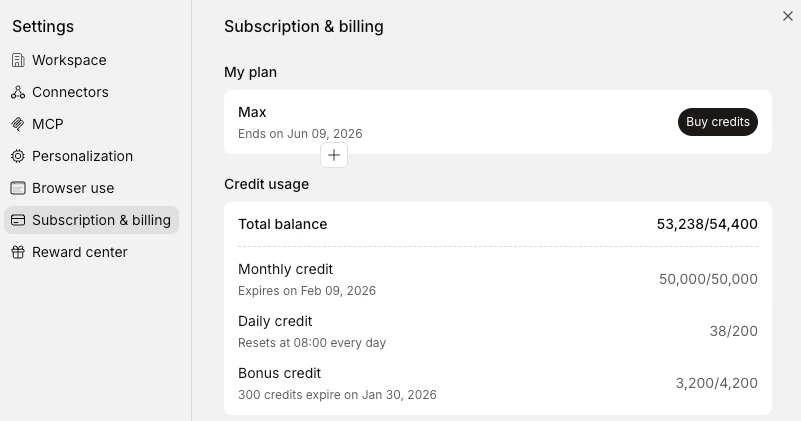
* **More Flexibility**: In addition to existing plans, you can now purchase credit top-up packs separately, ideal for short-term or high-frequency usage.
## 💎 Credit Top-Up Packs Are Now Available
* **More Flexibility**: In addition to existing plans, you can now purchase credit top-up packs separately, ideal for short-term or high-frequency usage.
 ## 🌐 Export Content to Google Docs
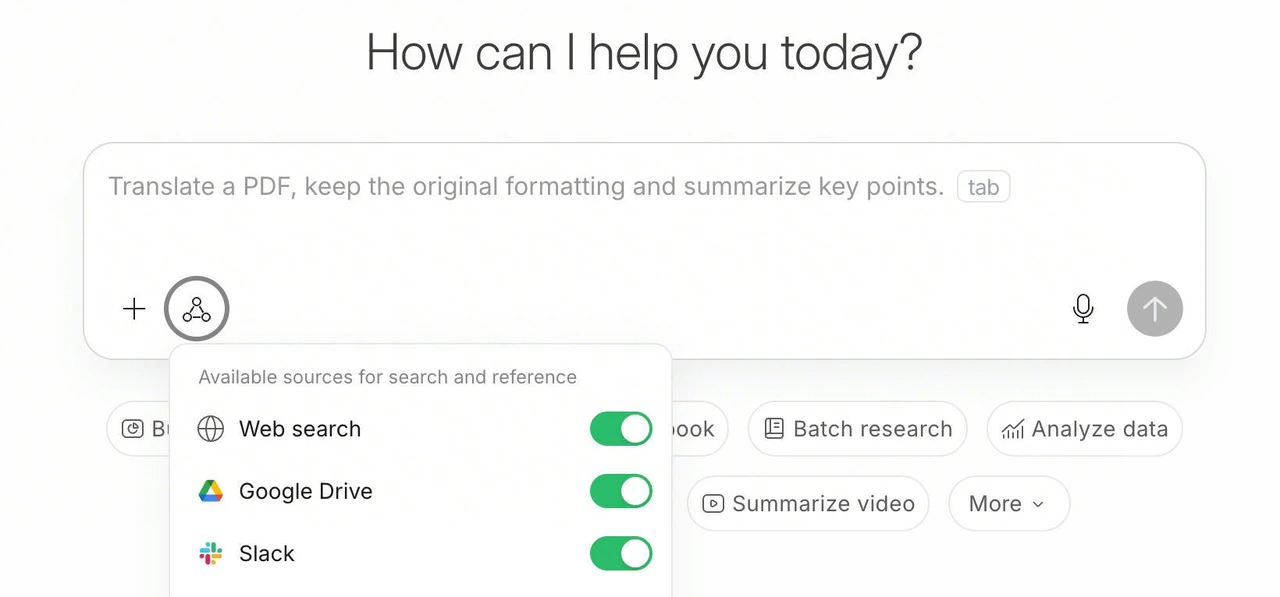
* **One-click Export to Google Docs**: Click on your avatar in the top right corner → Connector Configuration → Select and connect your Google Drive account to export AnyGen content to Google Docs.
## 🌐 Export Content to Google Docs
* **One-click Export to Google Docs**: Click on your avatar in the top right corner → Connector Configuration → Select and connect your Google Drive account to export AnyGen content to Google Docs.
 * **Flexible Reference**: When asking questions or creating tasks, you can choose to use files from Google Drive as reference sources to enhance creation efficiency.
 ## 🌐 Web Page Generation with Visual Editing
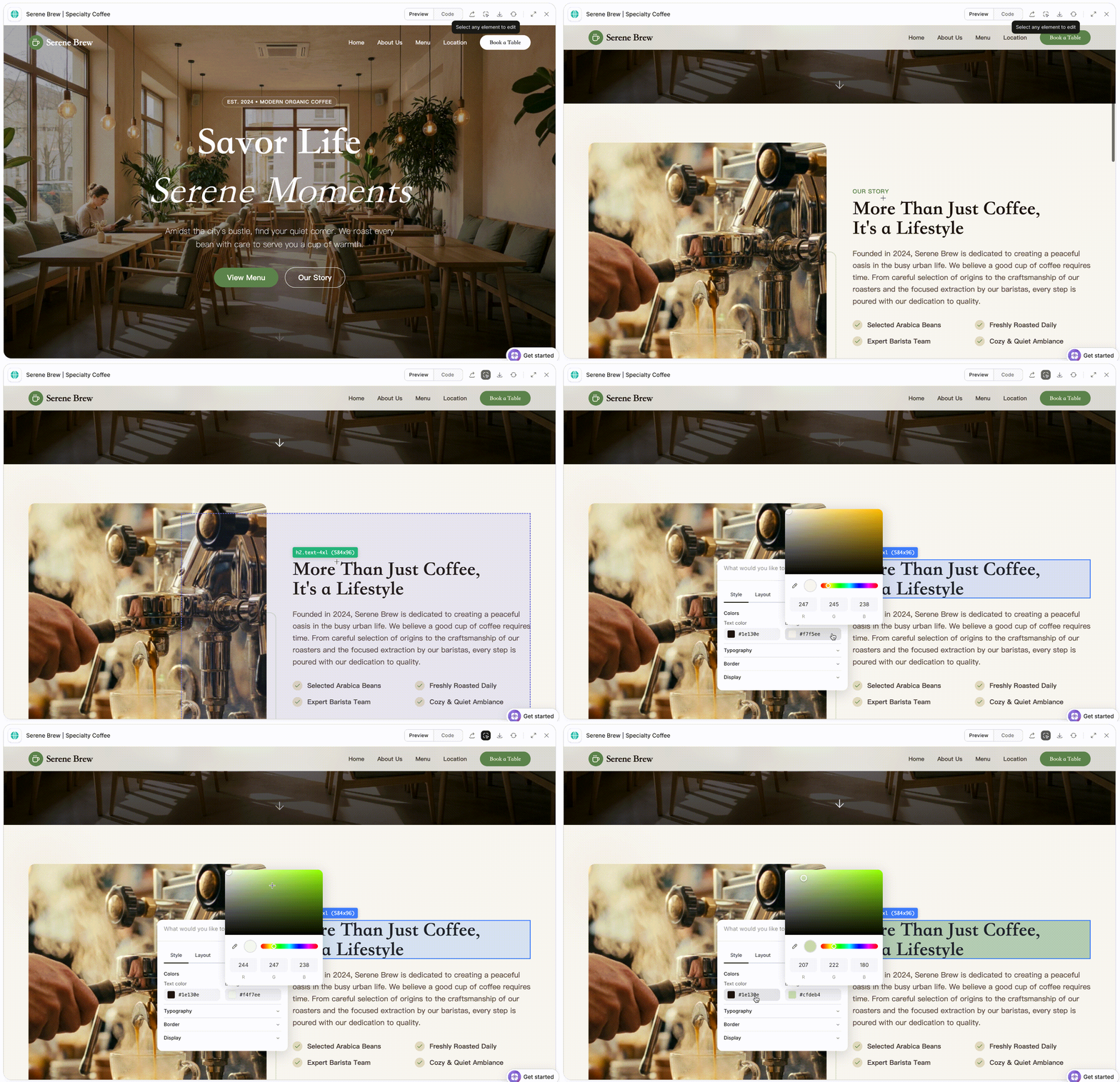
* Build usable web pages without starting from scratch or writing code.
* Edit content visually with immediate feedback using a what-you-see-is-what-you-get editor.
## 🌐 Web Page Generation with Visual Editing
* Build usable web pages without starting from scratch or writing code.
* Edit content visually with immediate feedback using a what-you-see-is-what-you-get editor.