> ## Documentation Index
> Fetch the complete documentation index at: https://docs.anygen.io/llms.txt
> Use this file to discover all available pages before exploring further.
# February 2026
> New features and improvements released in February 2026.
## 🍌 AnyGen now supports Nano Banana 2
Nano Banana Pro has been available in AnyGen, and Nano Banana 2 is now added to give you a faster option for exploration and iteration—while Pro remains ideal for final-quality outputs.
* **Faster drafts & variations:** iterate on ideas in rapid cycles.
* **Better prompt control:** less “close but not quite.”
* **More consistent series:** easier to keep a unified look across multiple outputs.
 ## 🍌 Slides, Now in Two Styles
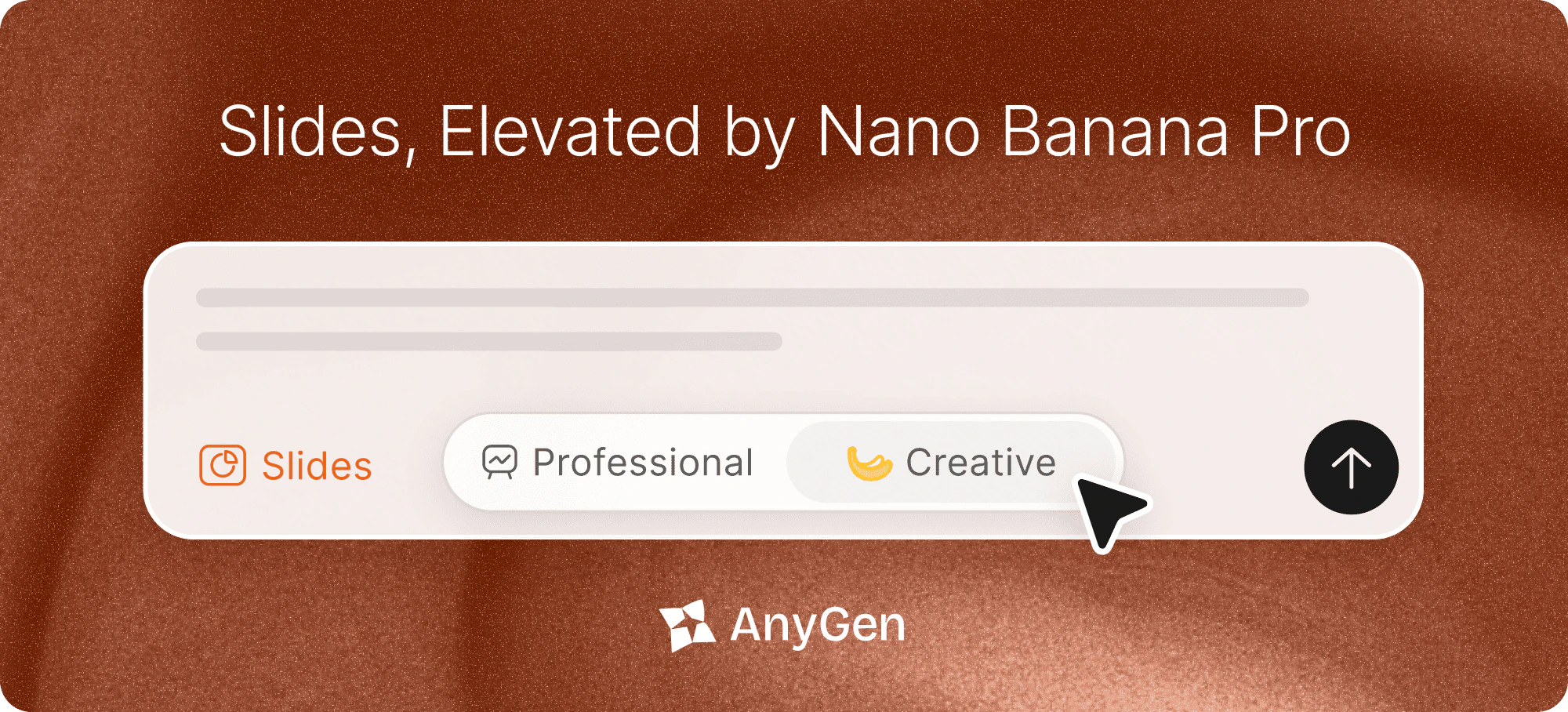
Choose the look that fits your work—**Professional** for structure and control, **Creative** for premium design.
* **Professional Mode** — Clean structure, fully editable layouts, and precise control for fast iteration.
* **Creative Mode** — Premium templates and high-quality visuals, powered by **Nano Banana Pro**.
* Switch styles anytime from the Slides style toggle.
## 🍌 Slides, Now in Two Styles
Choose the look that fits your work—**Professional** for structure and control, **Creative** for premium design.
* **Professional Mode** — Clean structure, fully editable layouts, and precise control for fast iteration.
* **Creative Mode** — Premium templates and high-quality visuals, powered by **Nano Banana Pro**.
* Switch styles anytime from the Slides style toggle.
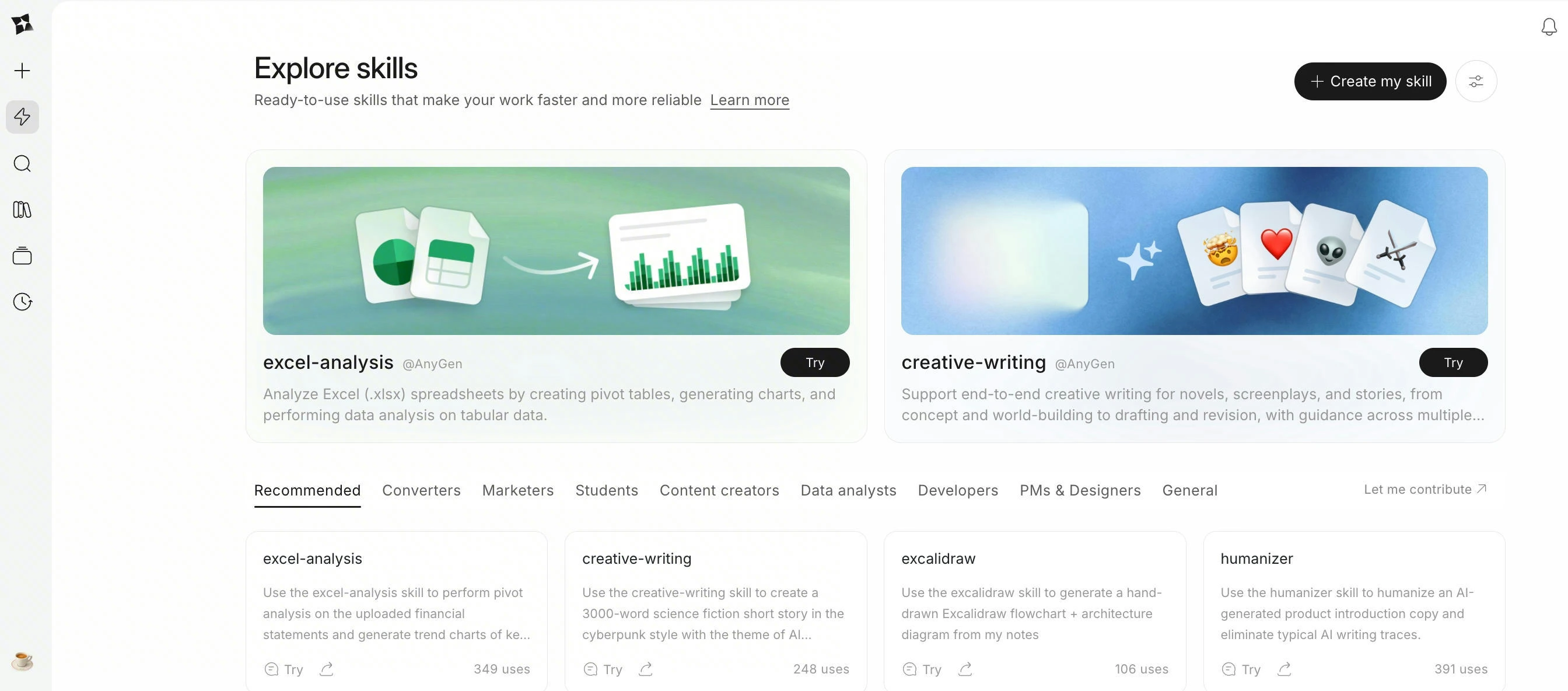
 ## ⚡️ AnyGen Skills
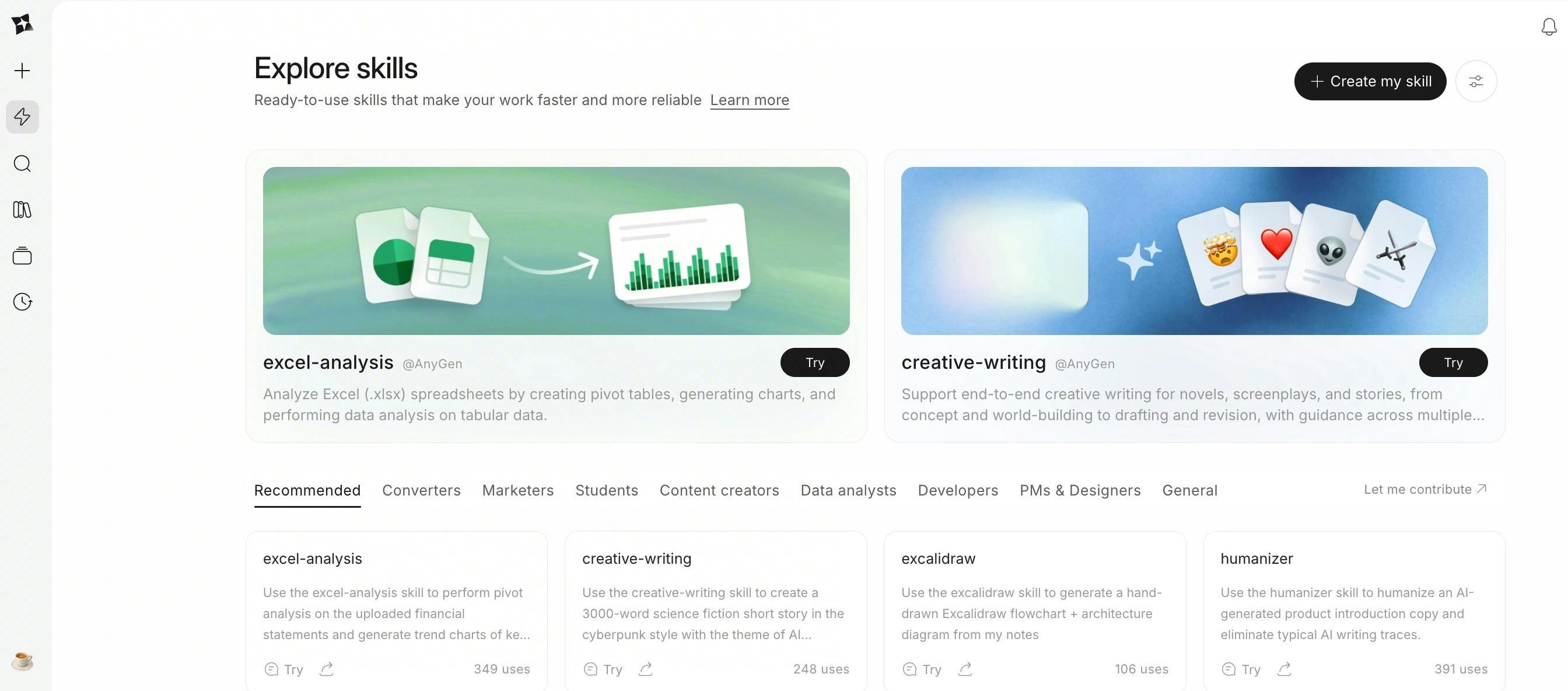
AnyGen Skills lets you turn one successful run into a reusable standard your Agent can follow—so repeatable work stays consistent, and outputs keep a stable structure.
* **Create Skills in multiple ways**: create via chat, package a successful run, import a Skill file, or write Skill instructions by hand.
* **Explore Skills**: browse a curated collection of ready-to-use Skills and add them to your workspace in one click.
* **Predictable execution**: enable Skills for natural-language use, or explicitly call `Use ...` when you need a fixed workflow and output format.
* **Starter examples include**: `Excel-Analysis`, `PDF-Processing`, and `document-converter-suite`.
## ⚡️ AnyGen Skills
AnyGen Skills lets you turn one successful run into a reusable standard your Agent can follow—so repeatable work stays consistent, and outputs keep a stable structure.
* **Create Skills in multiple ways**: create via chat, package a successful run, import a Skill file, or write Skill instructions by hand.
* **Explore Skills**: browse a curated collection of ready-to-use Skills and add them to your workspace in one click.
* **Predictable execution**: enable Skills for natural-language use, or explicitly call `Use ...` when you need a fixed workflow and output format.
* **Starter examples include**: `Excel-Analysis`, `PDF-Processing`, and `document-converter-suite`.
 ## ✍️ Excalidraw MCP & Skill
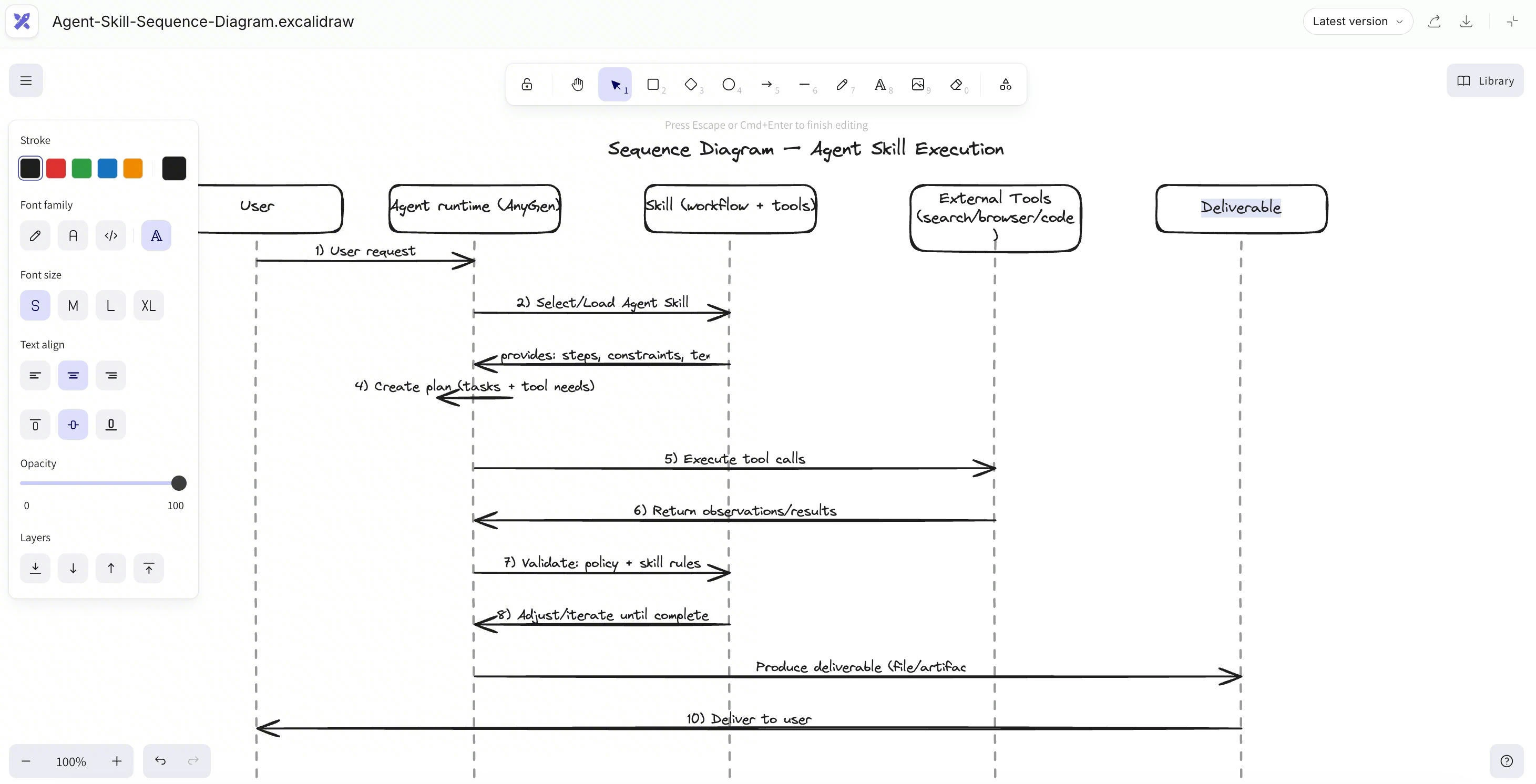
AnyGen now supports Excalidraw via MCP & Skill, Your research, docs, and tasks are already here — now your diagrams are too.
* **Sketch-style clarity**: Excalidraw’s clean, hand-drawn look makes complex ideas easier to scan and discuss.
* **Prompt → diagram**: Describe what you need, and AnyGen will draw it in Excalidraw (flows, architectures, mind maps, etc.).
* **Stays editable**: Tweak shapes, text, and layout anytime — no “static screenshot” diagrams.
* **Lives with your work**: Saved right inside your project, next to your notes and tasks.
* **Share-ready**: Export to Google Docs whenever the team needs it.
## ✍️ Excalidraw MCP & Skill
AnyGen now supports Excalidraw via MCP & Skill, Your research, docs, and tasks are already here — now your diagrams are too.
* **Sketch-style clarity**: Excalidraw’s clean, hand-drawn look makes complex ideas easier to scan and discuss.
* **Prompt → diagram**: Describe what you need, and AnyGen will draw it in Excalidraw (flows, architectures, mind maps, etc.).
* **Stays editable**: Tweak shapes, text, and layout anytime — no “static screenshot” diagrams.
* **Lives with your work**: Saved right inside your project, next to your notes and tasks.
* **Share-ready**: Export to Google Docs whenever the team needs it.
 ## 🌐 AnyGen Browser Operator
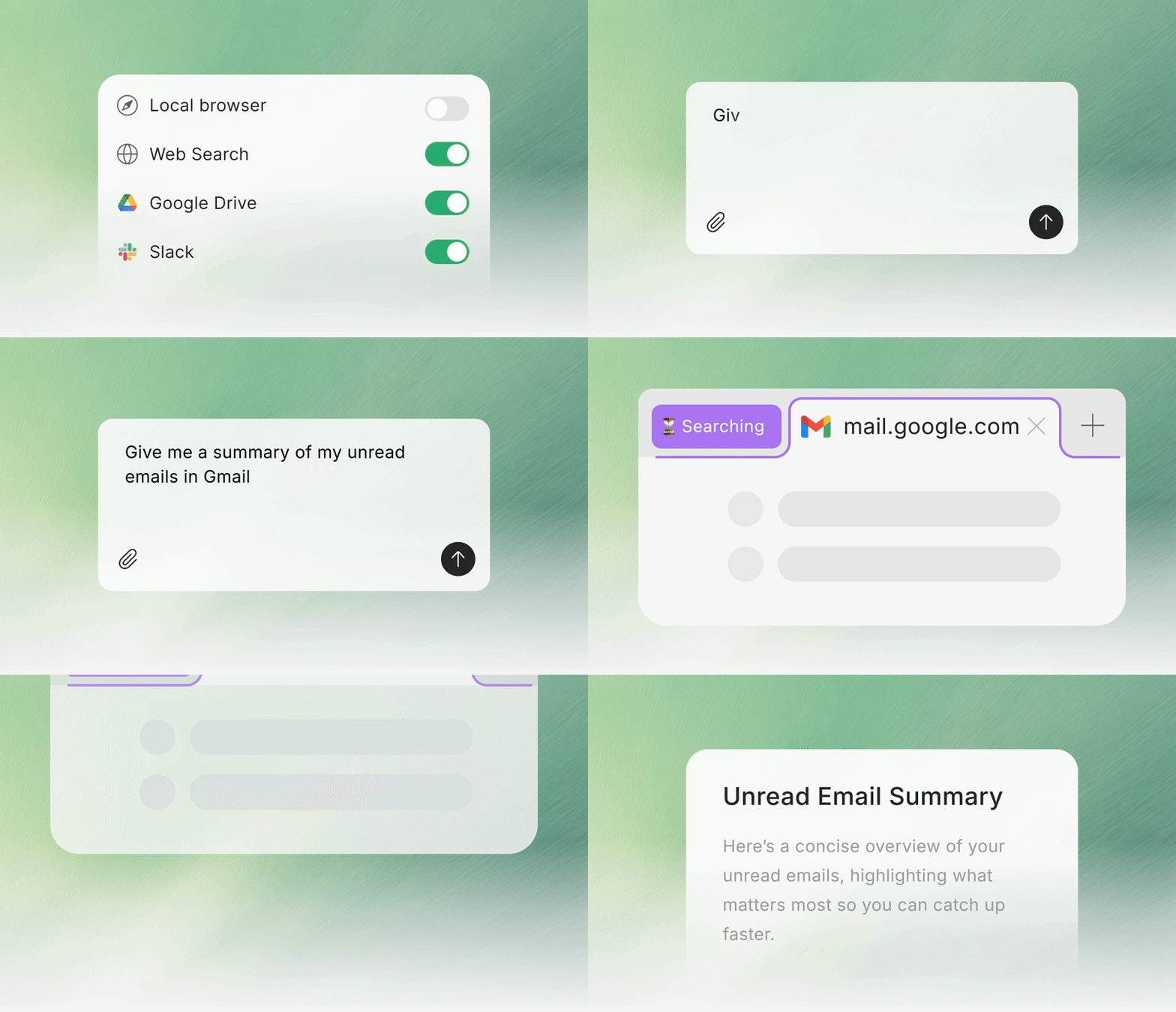
AnyGen Browser Operator lets you pull **local browser content** directly into AnyGen tasks, so the Agent can work with richer, more accurate context — with full control to toggle access anytime.
* **My browser (Task Context)**: Use what’s on your screen as task context for summarizing, rewriting, translating, comparing, and drafting.
* **Local Session Access**: Run through your local browser session (local network + real IP) to reduce interruptions from strict access checks.
* **In-task Permission Prompt**: When needed, you’ll see an “Allow AnyGen to open a new tab” prompt (or continue without access).
* **Toggle Anytime**: Turn **My browser** on/off per task, or disable it in **Connectors**.
* **Password-safe by design**: The extension does not read, collect, or upload passwords, and doesn’t access or store password inputs.
## 🌐 AnyGen Browser Operator
AnyGen Browser Operator lets you pull **local browser content** directly into AnyGen tasks, so the Agent can work with richer, more accurate context — with full control to toggle access anytime.
* **My browser (Task Context)**: Use what’s on your screen as task context for summarizing, rewriting, translating, comparing, and drafting.
* **Local Session Access**: Run through your local browser session (local network + real IP) to reduce interruptions from strict access checks.
* **In-task Permission Prompt**: When needed, you’ll see an “Allow AnyGen to open a new tab” prompt (or continue without access).
* **Toggle Anytime**: Turn **My browser** on/off per task, or disable it in **Connectors**.
* **Password-safe by design**: The extension does not read, collect, or upload passwords, and doesn’t access or store password inputs.