
Platform
🦞 AnyGen OpenAPI is now available
Integrate AnyGen into your product or automation stack by creating asynchronous generation tasks via API—then poll for status and download outputs when available.What you can do:- Create async tasks for multiple operation types: slide, doc, chat, storybook, data_analysis, website.
- Download generated files for slide (.pptx) and doc (.docx or .pdf) via a temporary file URL (with expiration metadata).
- Track progress by polling task status until it becomes completed or failed (status + progress + output metadata).
- Attach reference files by sending Base64-encoded files in the request payload (e.g., PDFs, images, docs).
- Control generation options such as language (zh-CN / en-US), slide count, aspect ratio (16:9 / 4:3), template (slides), and output format (docx / pdf).
- Docs: https://docs.anygen.io/product-manual/anygen-openapi
Model
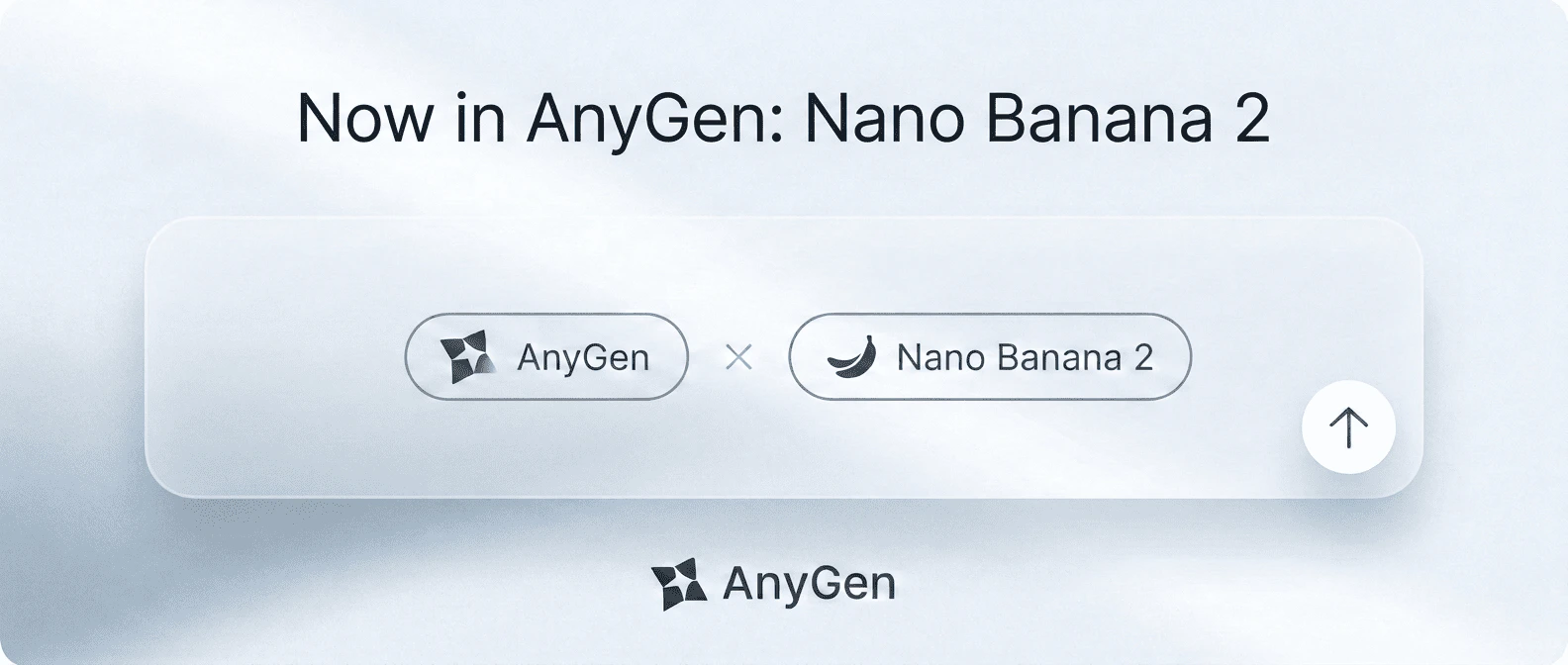
🍌 AnyGen now supports Nano Banana 2
Nano Banana Pro has been available in AnyGen, and Nano Banana 2 is now added to give you a faster option for exploration and iteration—while Pro remains ideal for final-quality outputs.- Faster drafts & variations: iterate on ideas in rapid cycles.
- Better prompt control: less “close but not quite.”
- More consistent series: easier to keep a unified look across multiple outputs.
Feature
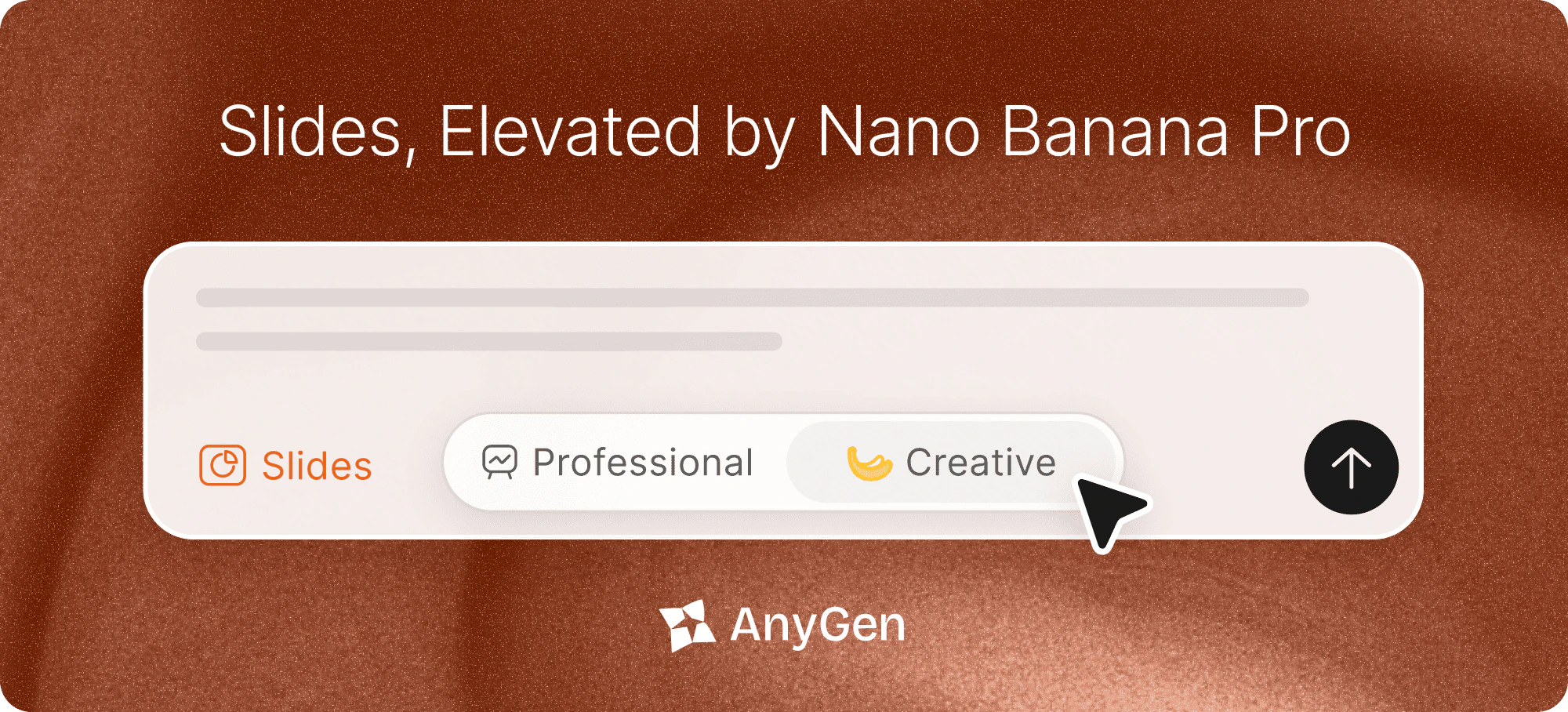
🍌 Slides, Now in Two Styles
Choose the look that fits your work—Professional for structure and control, Creative for premium design.- Professional Mode — Clean structure, fully editable layouts, and precise control for fast iteration.
- Creative Mode — Premium templates and high-quality visuals, powered by Nano Banana Pro.
- Switch styles anytime from the Slides style toggle.
Feature
⚡️ AnyGen Skills
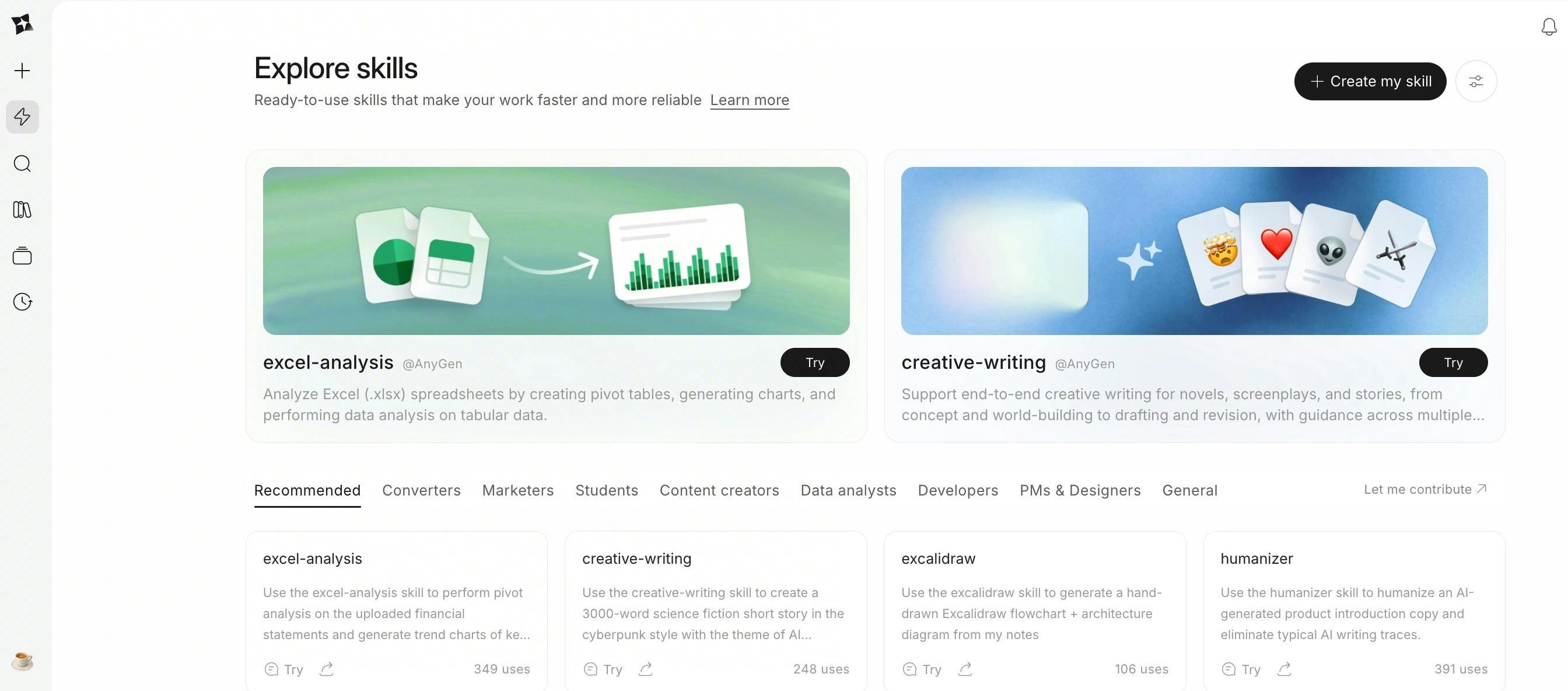
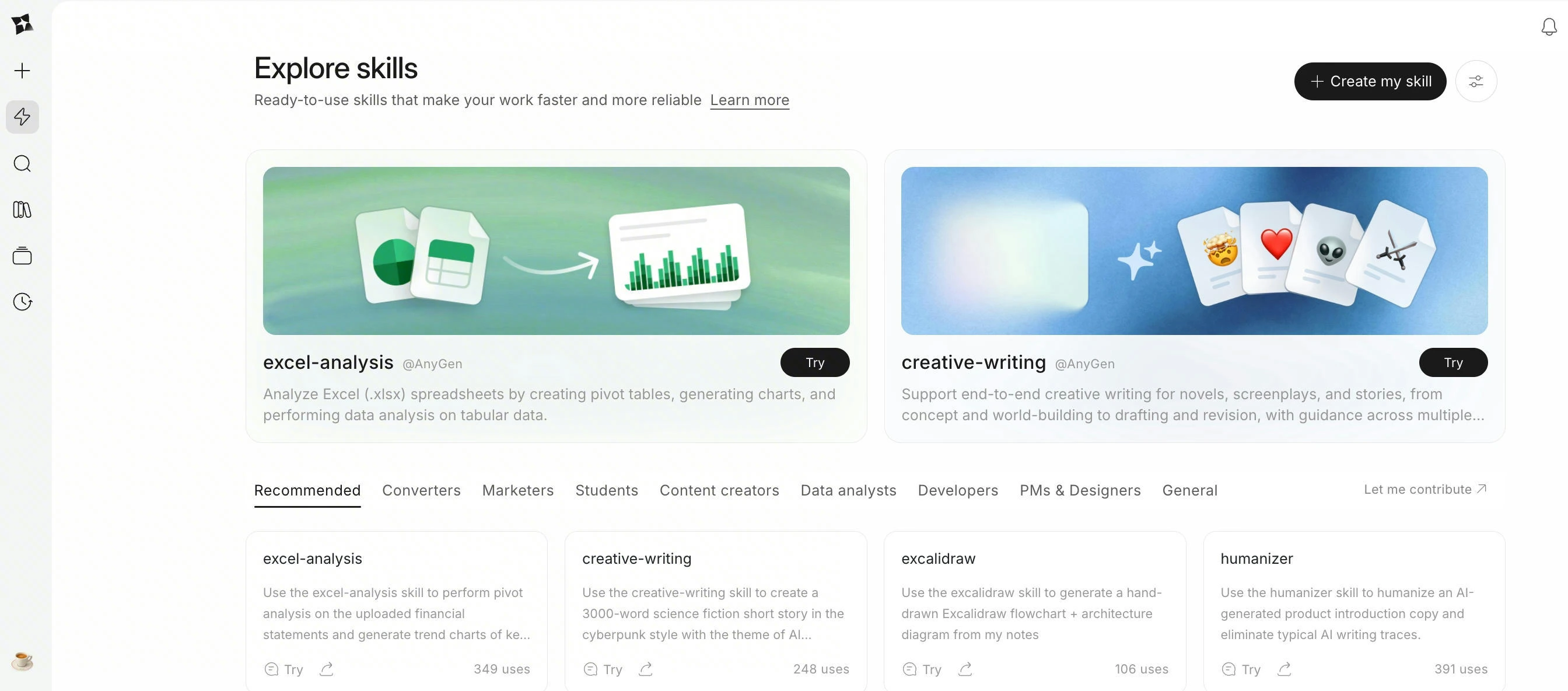
AnyGen Skills lets you turn one successful run into a reusable standard your Agent can follow—so repeatable work stays consistent, and outputs keep a stable structure.- Create Skills in multiple ways: create via chat, package a successful run, import a Skill file, or write Skill instructions by hand.
- Explore Skills: browse a curated collection of ready-to-use Skills and add them to your workspace in one click.
- Predictable execution: enable Skills for natural-language use, or explicitly call
Use <Skill Name> ...when you need a fixed workflow and output format. - Starter examples include:
Excel-Analysis,PDF-Processing, anddocument-converter-suite.
Feature
✍️ Excalidraw MCP & Skill
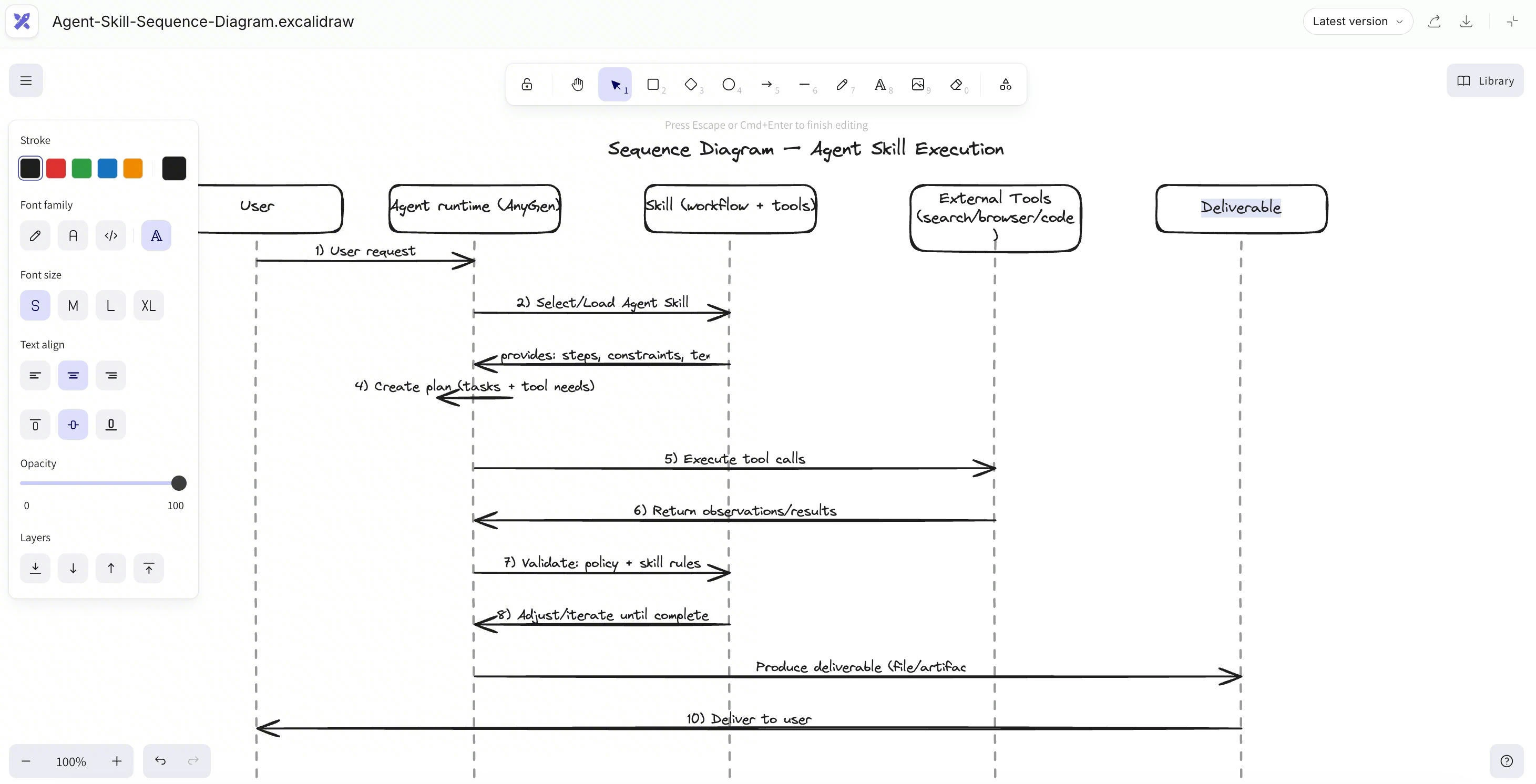
AnyGen now supports Excalidraw via MCP & Skill, Your research, docs, and tasks are already here — now your diagrams are too.- Sketch-style clarity: Excalidraw’s clean, hand-drawn look makes complex ideas easier to scan and discuss.
- Prompt → diagram: Describe what you need, and AnyGen will draw it in Excalidraw (flows, architectures, mind maps, etc.).
- Stays editable: Tweak shapes, text, and layout anytime — no “static screenshot” diagrams.
- Lives with your work: Saved right inside your project, next to your notes and tasks.
- Share-ready: Export to Google Docs whenever the team needs it.
Feature
🌐 AnyGen Browser Operator
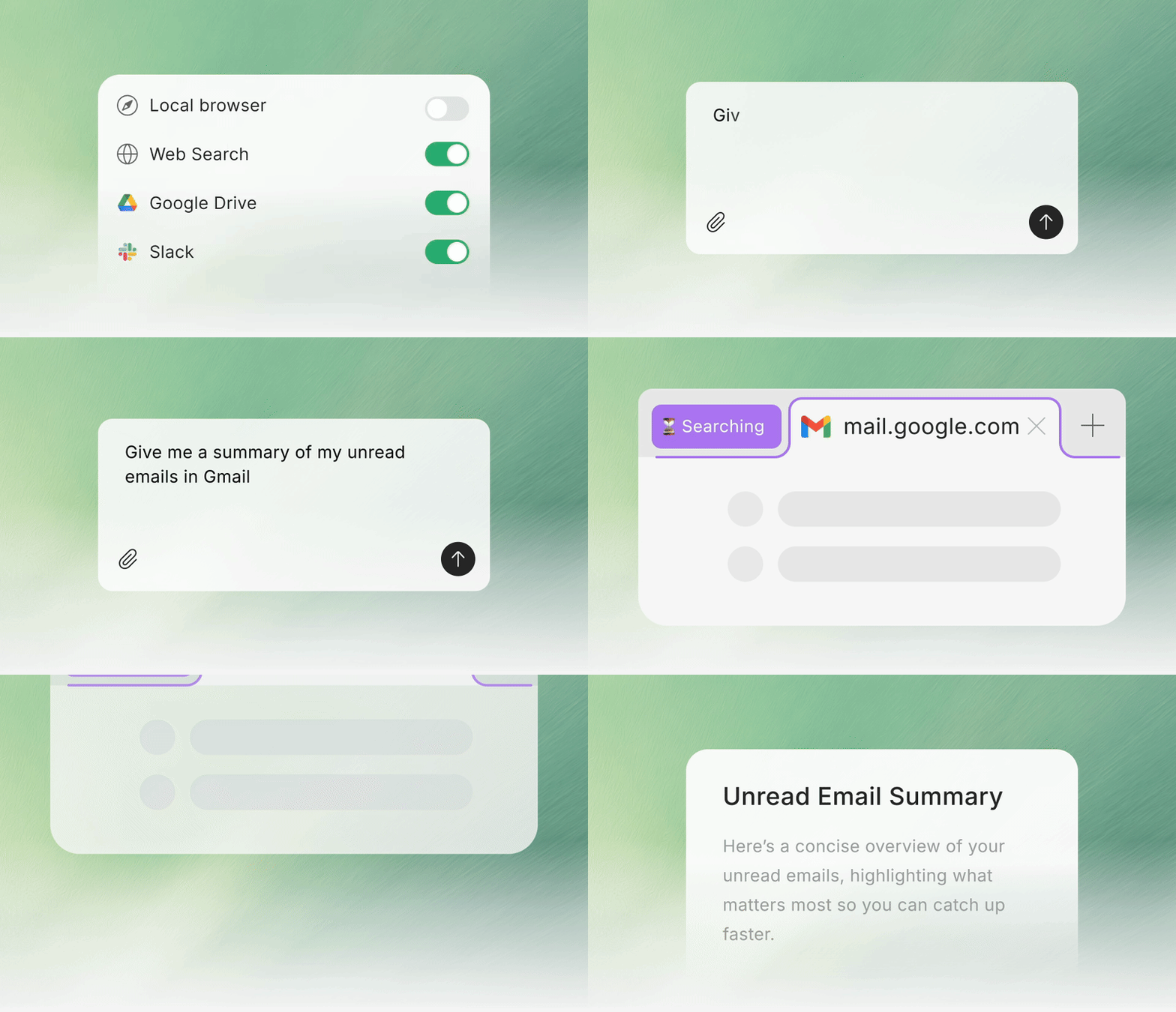
AnyGen Browser Operator lets you pull local browser content directly into AnyGen tasks, so the Agent can work with richer, more accurate context — with full control to toggle access anytime.- My browser (Task Context): Use what’s on your screen as task context for summarizing, rewriting, translating, comparing, and drafting.
- Local Session Access: Run through your local browser session (local network + real IP) to reduce interruptions from strict access checks.
- In-task Permission Prompt: When needed, you’ll see an “Allow AnyGen to open a new tab” prompt (or continue without access).
- Toggle Anytime: Turn My browser on/off per task, or disable it in Connectors.
-
Password-safe by design: The extension does not read, collect, or upload passwords, and doesn’t access or store password inputs.
Feature
🗂️ Library: Unified Asset Management
The Resource Library helps you manage and reuse all your AnyGen historical outputs more efficiently.- View History: Access previously generated content.
- Quick Search: Find historical artifacts via keywords.
- Type Filtering: Filter by content type (docs, slides, etc.) to locate results faster.
Improvement
📄 Document: Formula Capabilities Upgrade
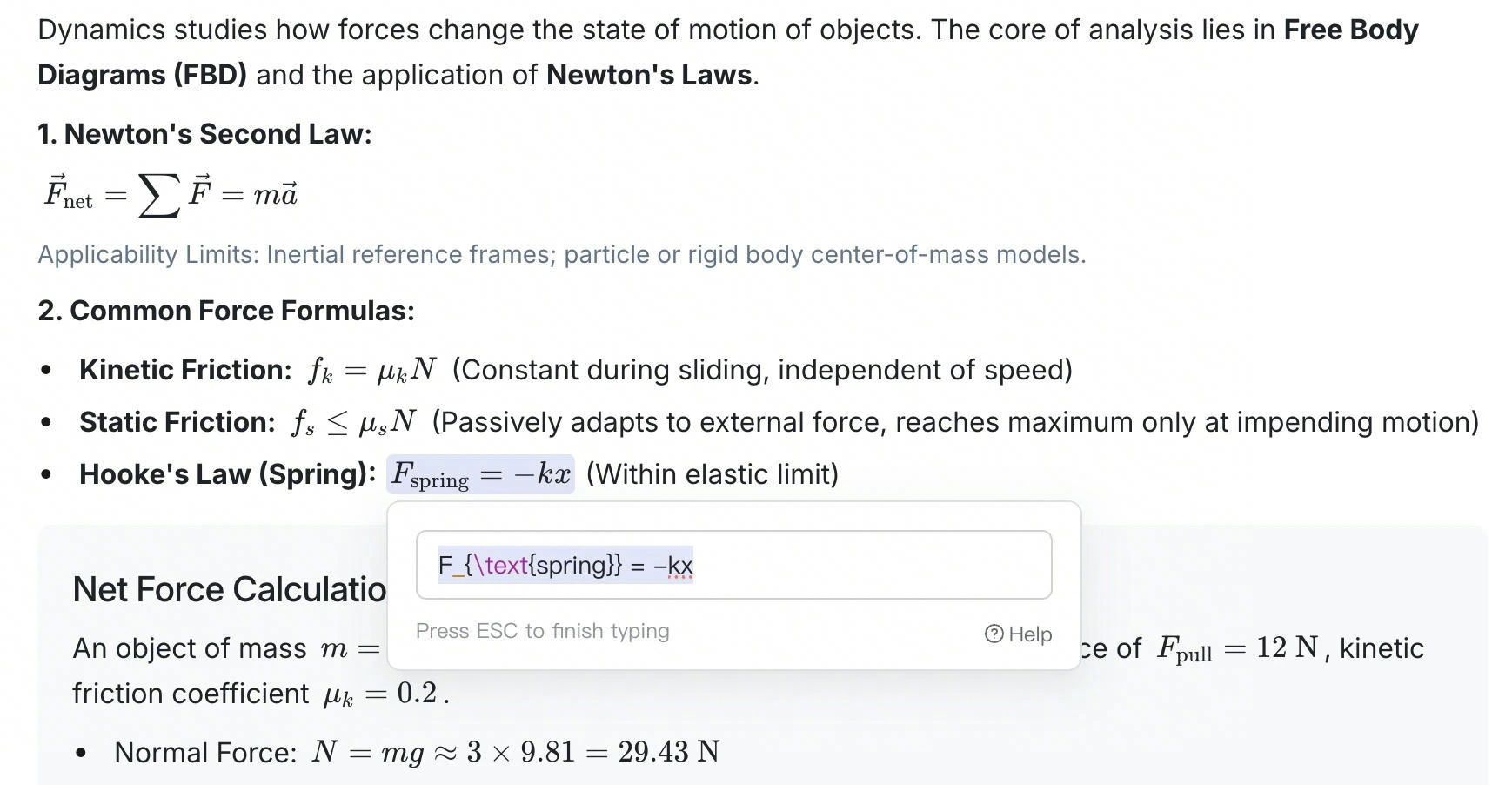
Documents now fully support formula-related capabilities, covering the entire workflow from generation to modification.- Direct Generation: Generate required formulas instantly.
- Clear Display: Present formulas in a clear, standardized format.
- Flexible Editing: Edit and adjust formula content at any time.
Feature
📄 Document: AI Revision Visualization & Review Mode
Designed to improve control over AI modifications, especially for documents requiring iterative refinement.- Automatically highlighted changes: When using Ask AI to modify content, the system automatically highlights changes to visualize differences.
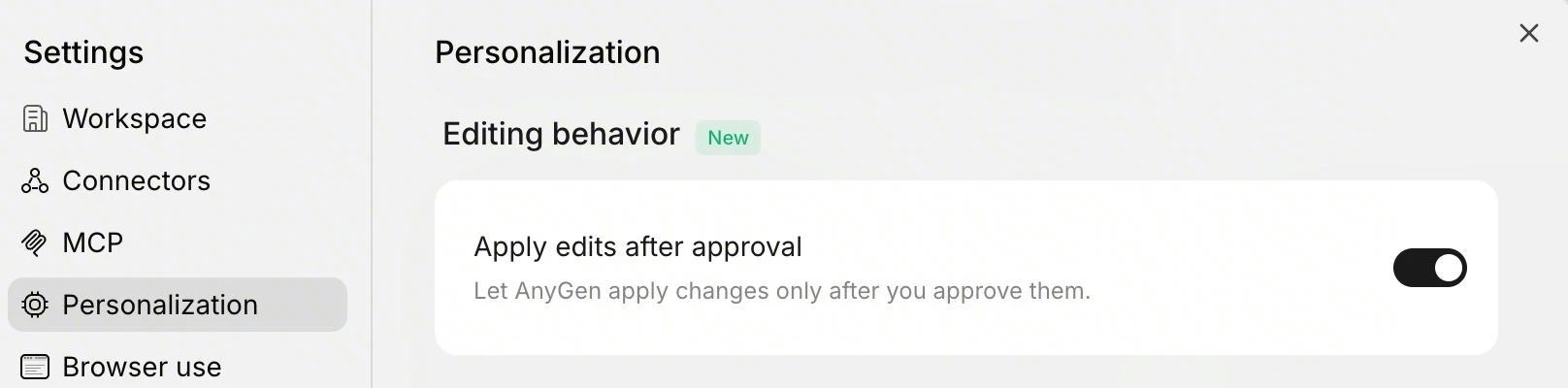
-
Revision Review Mode: Enable “Apply edits after approval” to require manual approval for AI changes, ensuring precision for rigorous content.
Improvement
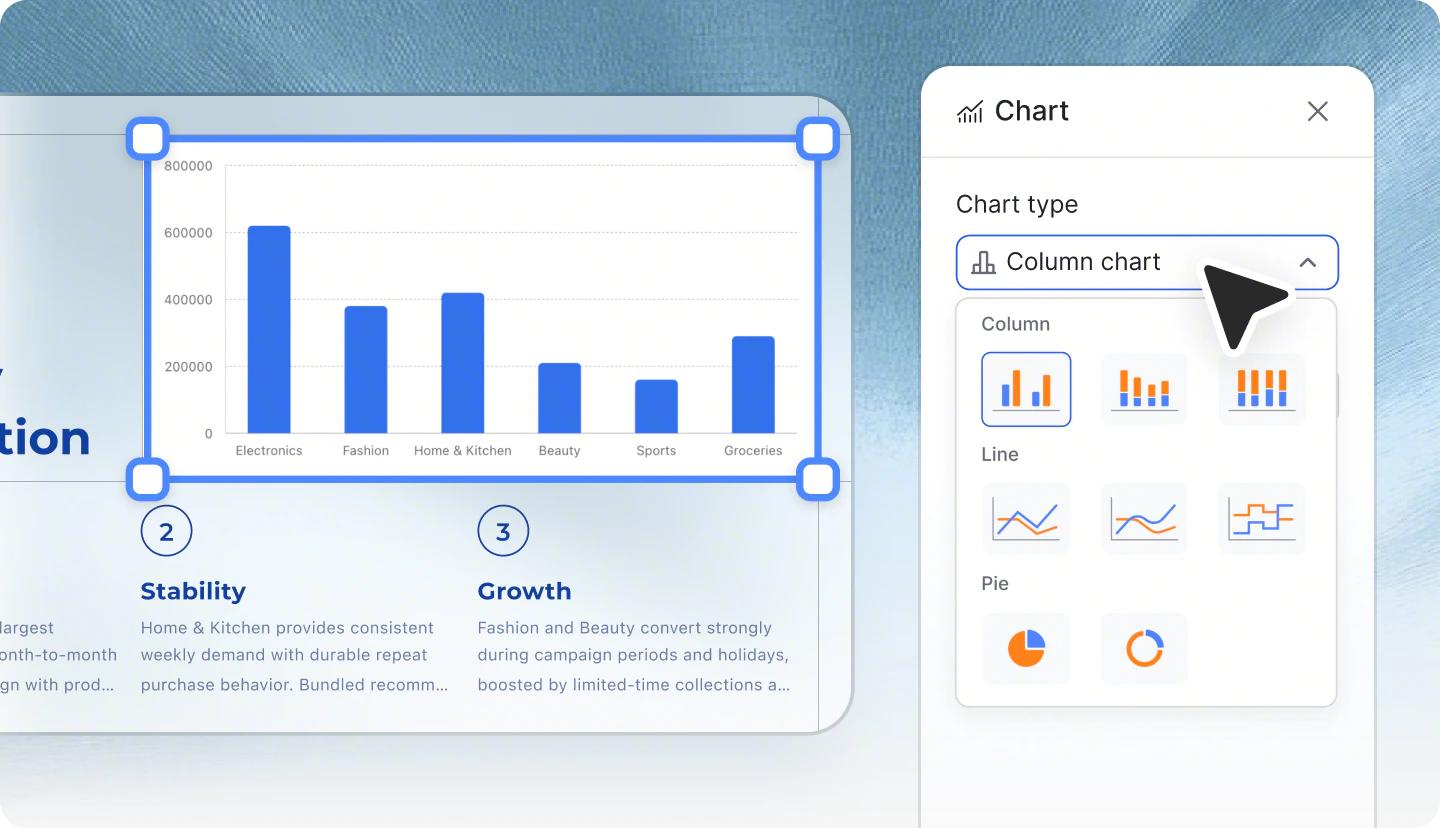
✨ Slides: Template Reuse & Flexible Chart Editing
- Upload PPTX as Template: Use your existing company or brand templates to quickly generate new content based on original structure and style.
-
Adjust Chart Styles: Flexibly modify chart appearance and layout in slides to make key data and core conclusions stand out.
Feature
📂 Project: Intelligent Content Management & Collaboration
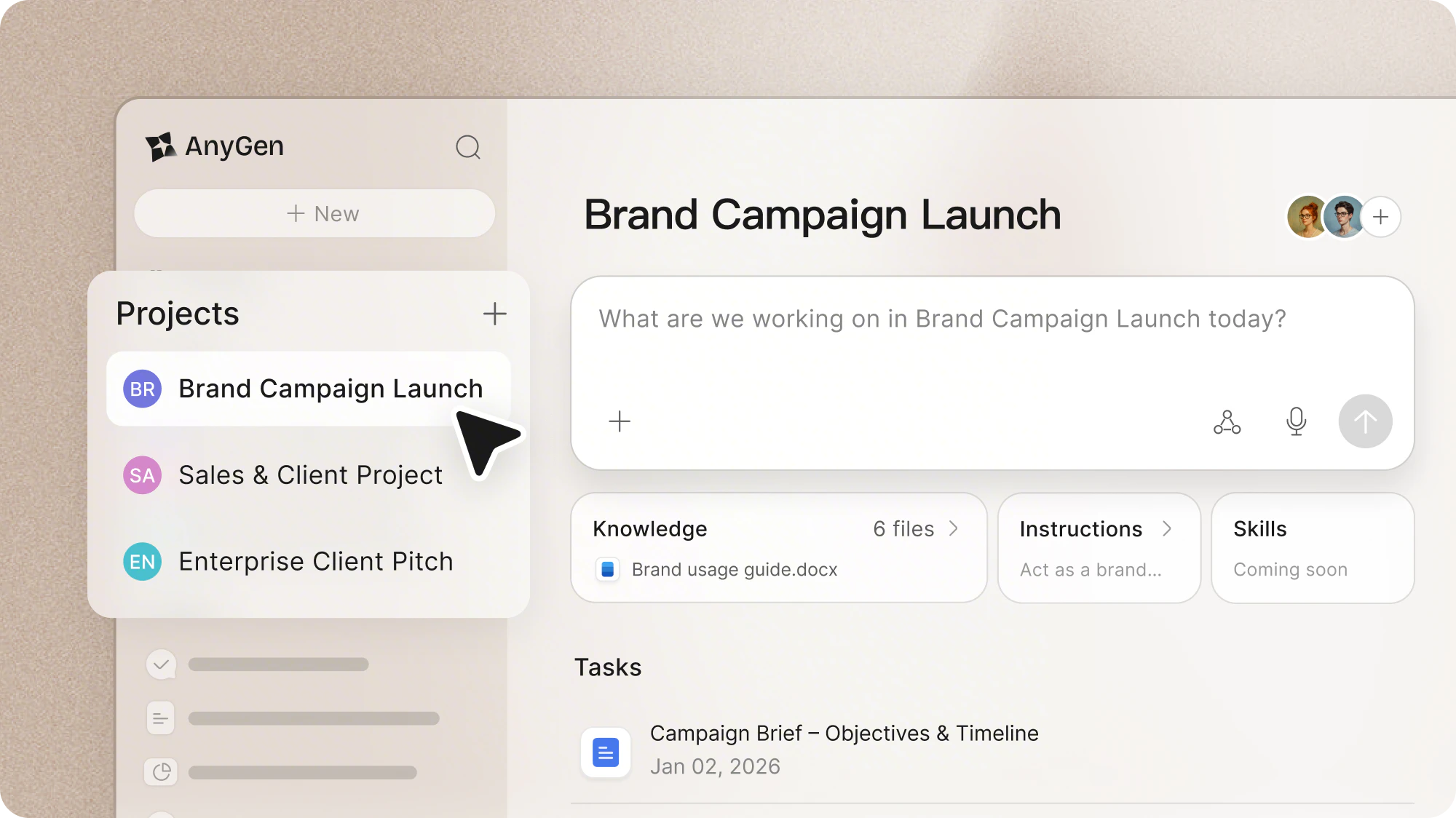
Projects are smart spaces designed to give AnyGen full context, so AI works with your files, background knowledge, and rules. Whether for personal deep work or team collaboration, Projects help produce outputs that are relevant, precise, and aligned with your goals.Core Features:- Contextual Memory: Upload documents, research, or project data. AnyGen remembers and references them automatically for future outputs, reducing repetitive input.
- Project Instructions: Set rules and standards to keep your outputs consistent and on target.
- Personal Deep Work: For writers and researchers. Create a Project and upload relevant past work so AI remembers your style and context for faster, consistent results.
- Enterprise Knowledge Base: For team leads and PMs. Upload policies or case studies so AI retains organizational knowledge, helping new members onboard faster.
Improvement
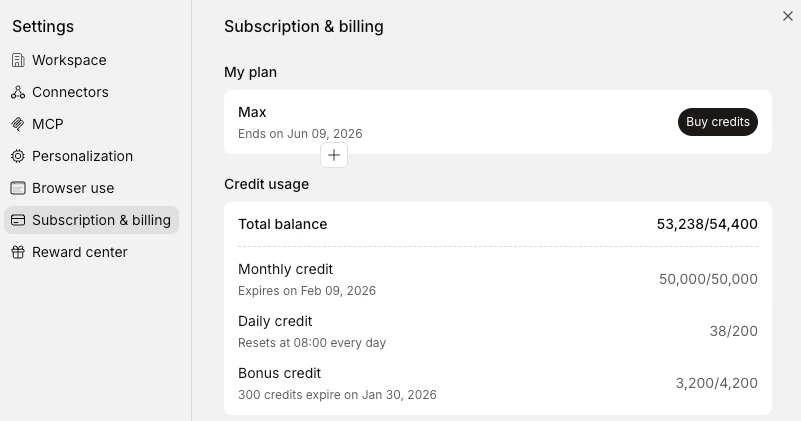
💎 Credit Top-Up Packs Are Now Available
- More Flexibility: In addition to existing plans, you can now purchase credit top-up packs separately, ideal for short-term or high-frequency usage.
Improvement
🌐 Export Content to Google Docs
-
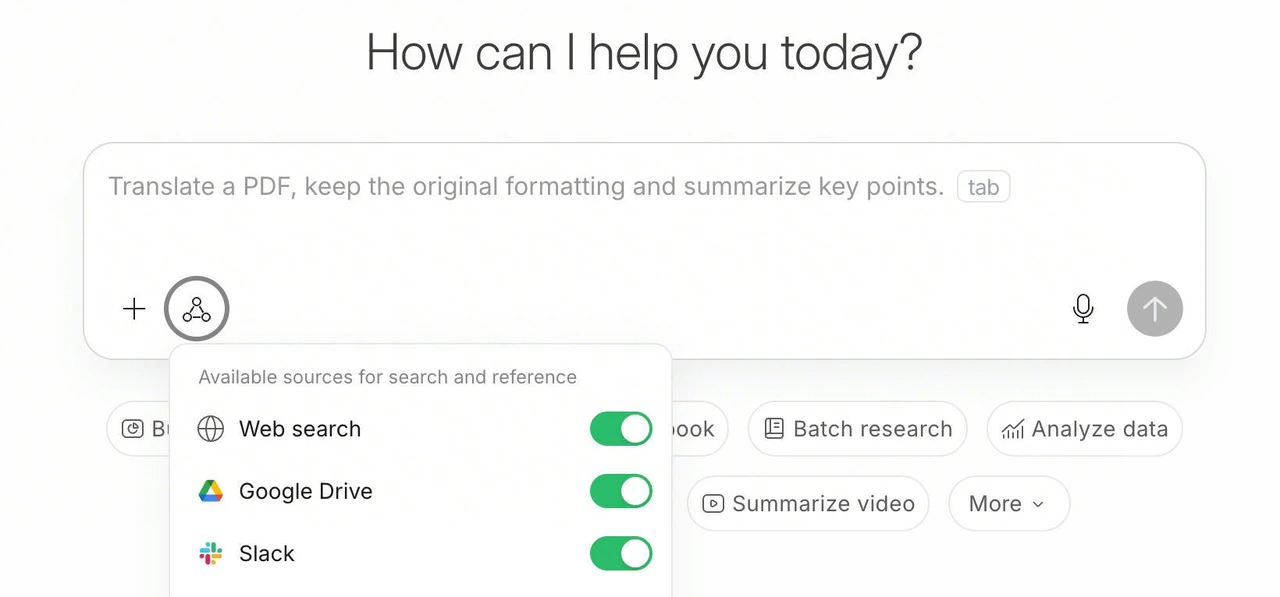
One-click Export to Google Docs: Click on your avatar in the top right corner → Connector Configuration → Select and connect your Google Drive account to export AnyGen content to Google Docs.

- Flexible Reference: When asking questions or creating tasks, you can choose to use files from Google Drive as reference sources to enhance creation efficiency.
Feature
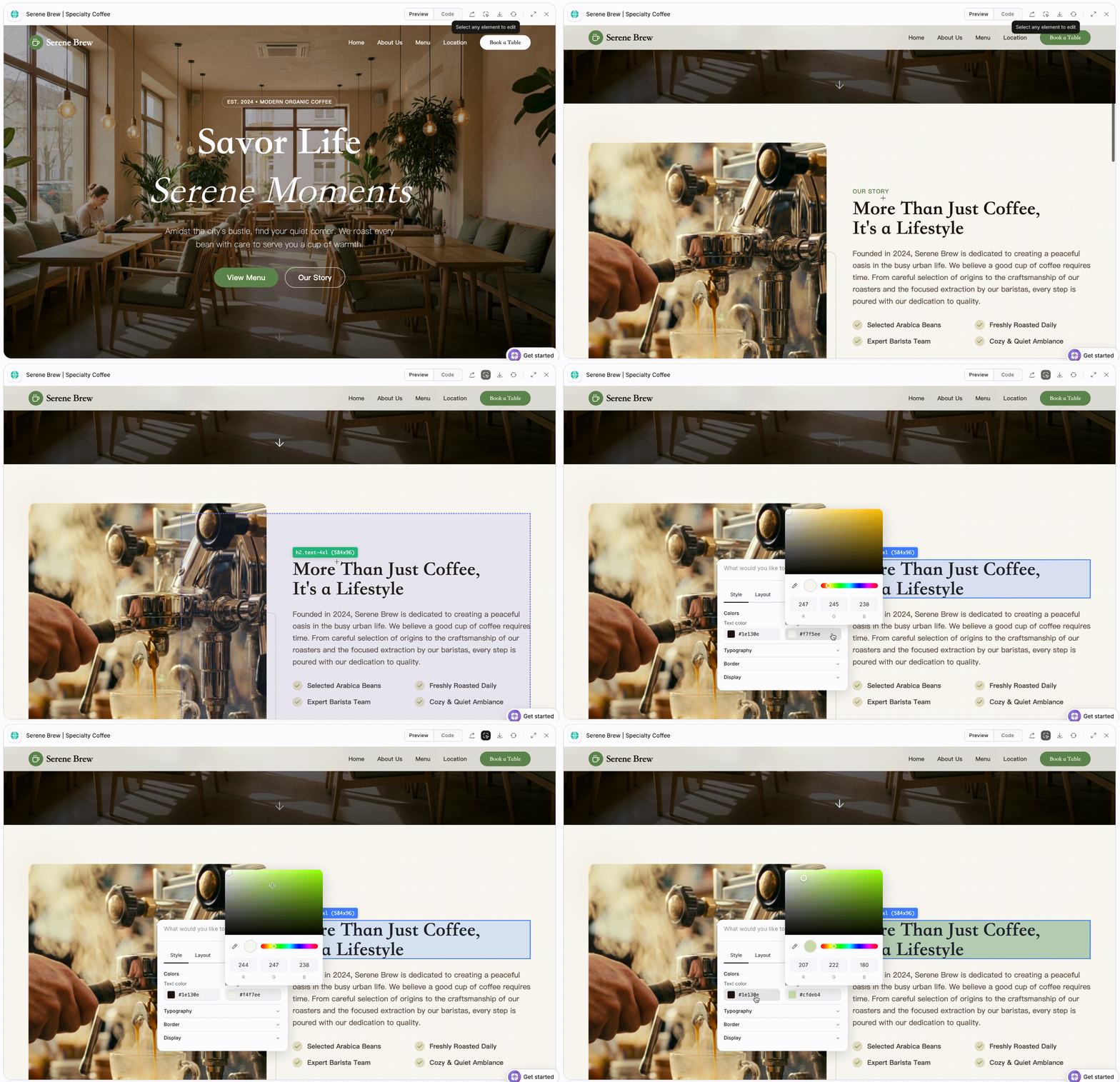
🌐 Web Page Generation with Visual Editing
- Build usable web pages without starting from scratch or writing code.
- Edit content visually with immediate feedback using a what-you-see-is-what-you-get editor.
Improvement
📱 Mobile App Version Update
- Welcome Reward: First-time users who download and log in will receive a credit reward.
- Popular Templates: Support for trending template categories makes content creation even simpler.
- Enhanced Control: Added red dot notifications, along with the ability to stop generation and delete tasks for better management.
Improvement
✨ Slides & Storybook Support Multiple Ratios
- Versatile Ratios: Choose from 16:9, 1:1, 4:3, 3:4, 9:16, or 21:9—perfect for large screens, posters, social media content, or handbooks.
- Flexible Export: Download generated Slides or Storybooks directly as PPTX files or save them as images for easy sharing and use.
Feature
📱 AnyGen Mobile App Update
- Local Audio Transcription: Transcribe local audio files directly in AnyGen—meetings, interviews, and voice memos supported.
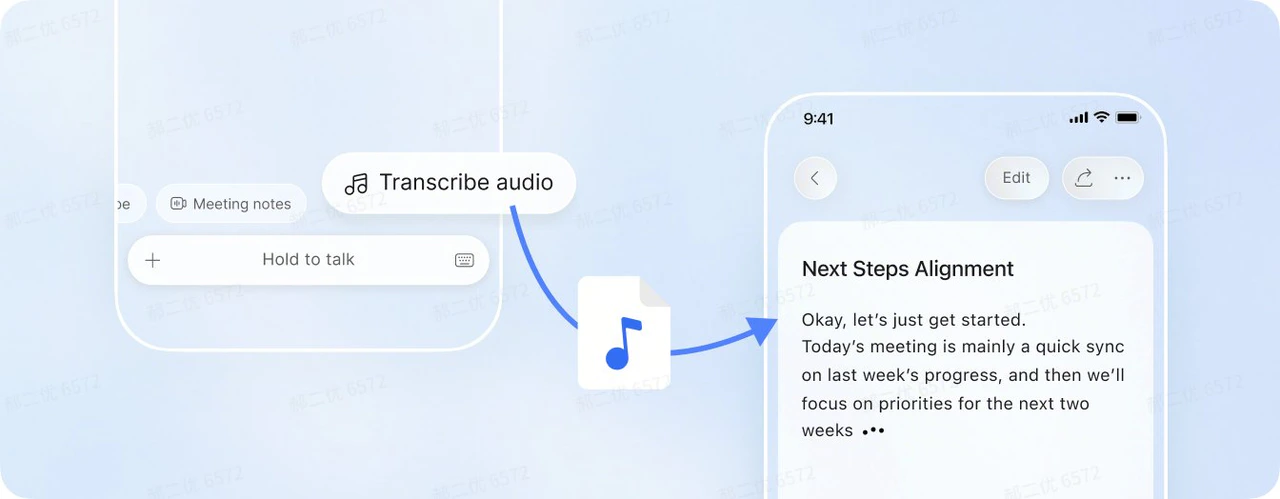
- System Share Integration: Easily add content to AnyGen via the system share menu.

Improvement
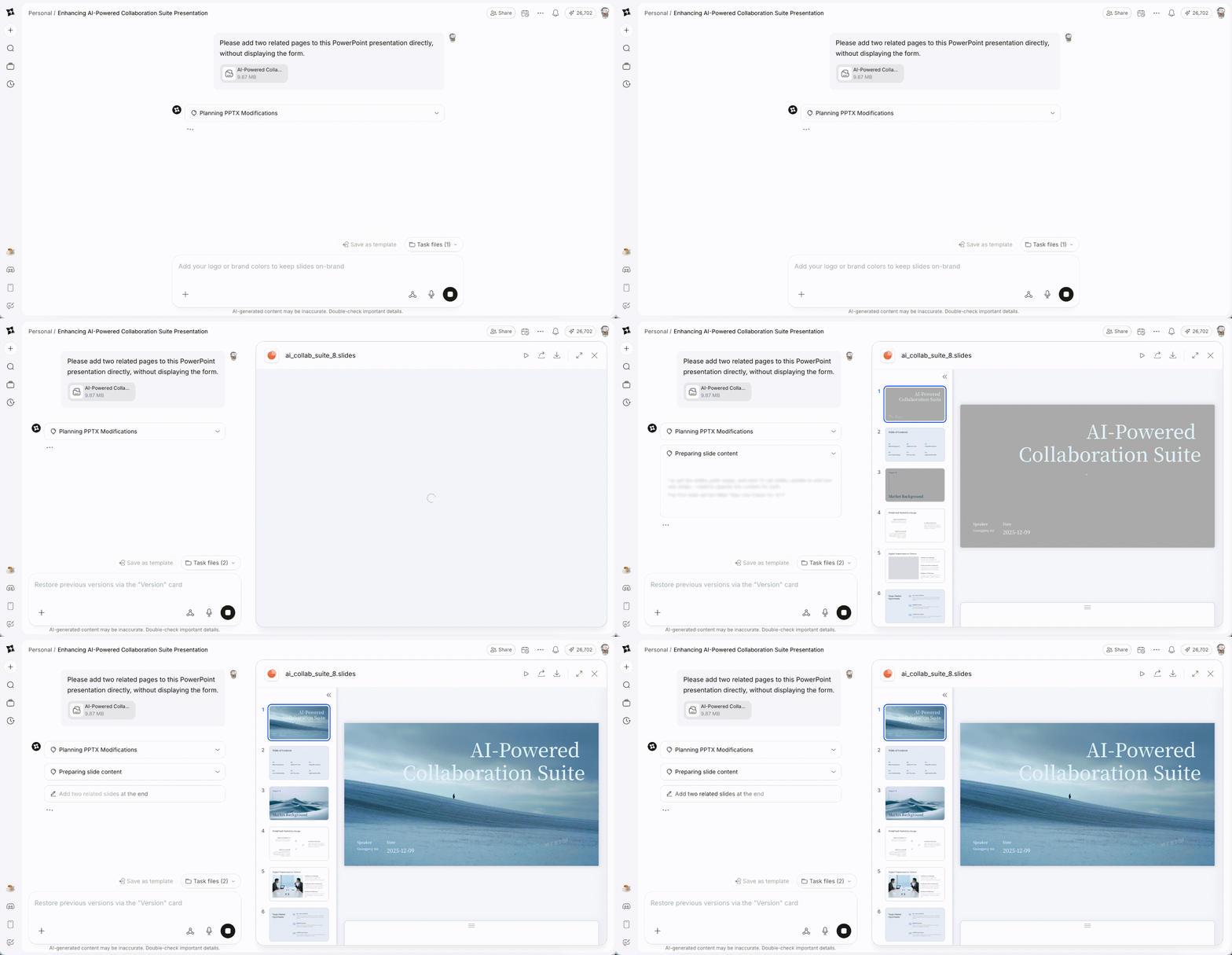
✨ PPTX Import & Editing Enhancement
- High-Fidelity Import: Import PPTX files while perfectly preserving content, layout, and slide size.
- Instant Rendering: Experience immediate rendering of your slides upon import.
- Presentation Polishing: Refine, edit, and enhance your presentation decks while preserving the original design.
Improvement
🎙️ Voice Input AI Auto-Polish
- Smart Denoising: Automatically filters out filler words like “um, uh, then” and repetitions, keeping only core ideas.
- Logic Reshaping: Fixes slips of tongue, adjusts word order, and organizes scattered speech into structured, ready-to-use Prompts.
- Style Polishing: AI automatically enhances professional tone and impact, making your Prompts more precise and persuasive.
Improvement
✨ Storybook Feature Upgrade
- One-Click PPTX Export: Download your Storybook content directly as a PPTX file with a single click.
- Enhanced Narrative & Consistency: Higher visual consistency across pages and stronger storytelling for more compelling presentations.
Feature
💎 Earn Rewards & Track Usage
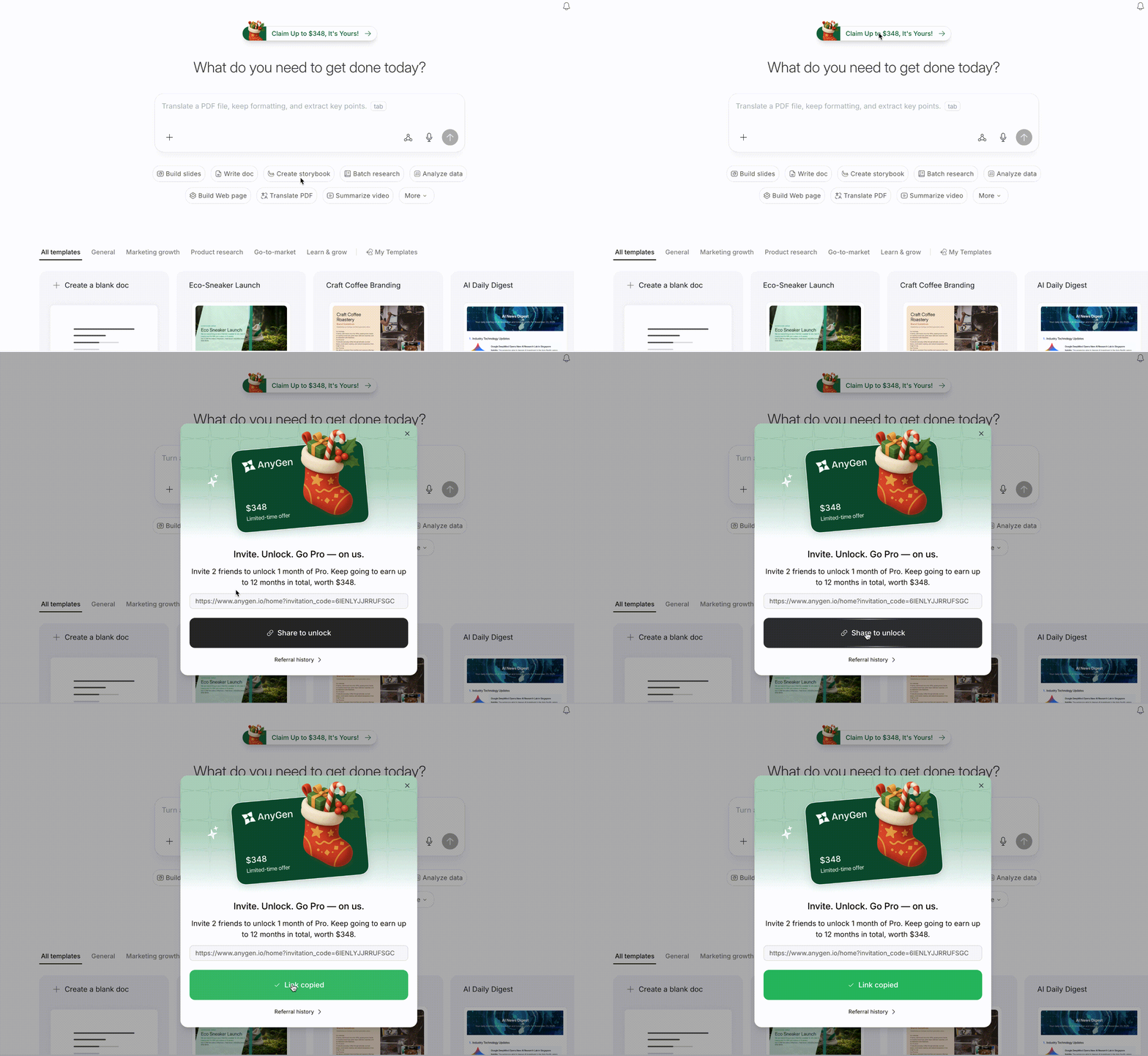
- Invite Friends, Get Pro (Limited-Time): Invite two new users to register for AnyGen and receive a complimentary one-month Pro subscription.
- Social Sharing Rewards (Limited-Time): Post on social media and earn 5,000 credits for every 10 likes, up to 10 rewards per month.
- Credit Usage Insights: View total earned credits, remaining balance, and detailed consumption history for every task in “Subscription & Billing”.
Feature
🛡️ Page Review Feature is Live
- Real-Time Verification: A dedicated agent checks for potential risks immediately after content generation.
- Instant Alerts: Notification cards appear immediately in the bottom-right corner if issues are detected.
- One-Click Fix: View detailed issue descriptions, locate specific paragraphs, and apply corrections with a single click.
Feature
📱 AnyGen Mobile App Officially Launched
- Voice Memos on the Go: Instantly record ideas while walking, commuting, or queuing.
- From Fragments to Long-Form: Capture inspirations and instantly generate structured, in-depth content.
- One-Tap Meeting Minutes: Record meetings and automatically generate summaries.
- Draft Anywhere: Quickly generate work documents or email drafts during trips or commutes.
Improvement
🌐 Multi-Language Interface Launched
- Automatic Language Adaptation: AnyGen automatically adapts to your browser’s default language, displaying the corresponding interface without manual switching.
- Flexible Language Switching: Prefer a different language? Easily change your language settings anytime from the top-right corner.
Improvement
🍌 Storybook Generation Powered by Nano Banana Pro
Nano Banana Pro has been integrated into AnyGen Storybook generation—input your requirements to generate high-quality image-based presentations.Improvement
✨ One-Stop PPT Creation
- One-Stop Experience: After generating slides, directly edit content, adjust formatting, and add materials in the same interface until final export for a true one-stop experience.
- Flexible In-Depth Editing: Make fine-grained adjustments to every page and element (text, layout, images, etc.) for complete editing freedom.
- Seamless AI Collaboration: Call AI at any stage to optimize layouts or polish content, making human-computer collaboration smoother than ever.
Feature
🤖 General Agent is Live
- Intelligent Understanding, One-Step Creation: Describe your needs in the homepage input box, and AnyGen automatically understands your intent, invokes the best-matching module, and directly produces outputs such as documents, PDFs, tables, or interactive mini-games.
- Limitless Tasks, Infinite Creativity: Whether translating PDFs, converting videos into podcasts, or designing learning systems, if you can describe it, AnyGen can achieve it.
- Seamless Multi-Stage Creation: Complete continuous, cross-format creation in a single conversation. For example: gather materials → co-create course content → generate accompanying slides → export as a PDF.
Feature
🎨 Template Feature Now Available
- Discover Templates Faster: Find templates for different output types and themes on the homepage, making it easy to discover high-quality use cases.
- One-Click Reuse: Click “Create Similar” on a template card to automatically populate the input box and quickly reuse it.
- Preview Template Effects: Click the preview button to see the conversation flow and final output of the template.
- Custom Templates: Save high-quality workflows as templates for future reuse, allowing you to quickly apply existing processes and requirements.
Feature
✨ Slides Feature Now Available
- Generate structured presentations directly through chat, from requirements to finished slides.
- Fine-tune outlines and hierarchy page by page during generation.
- Convert existing documents into slides with one click.
- Iterate precisely through multi-turn chat until you’re satisfied.
- Export clean, watermark-free slides for professional use.
- Export presentations in watermark-free .pptx format.
Feature
✨ Storybook Feature Now Available
- Uses an image-first generation model, where each page is a visual generated by a vision model.
- Ideal for scenarios requiring strong visual storytelling and consistent style.
- Science education, e.g., lunar eclipse presentations for children or clay-style storybooks about bee ecosystems.
- Fairy tale illustration, generating characters, scenes, and key story elements.
Feature
📊 Data Analysis Feature Now Available
- Provides end-to-end data analysis, from data validation to final insights.
- Clarifies analysis goals, perspectives, rigor, and output format before execution.
- Breaks down the analysis into clear phases and tasks.
- Generates intuitive and well-designed visual charts.
- Extracts key insights and provides actionable recommendations.
Feature
🔔 Notification System
- Added configurable real-time task notifications. Get notified when tasks finish—no manual refresh needed.
Feature
⚙️ AnyGen Core Features Now Available
🗄️ Intelligent Internal and External Knowledge Integration- Connect AnyGen to Google Drive, Slack, Lark, and other collaboration platforms.
- The AI can understand and leverage historical projects, team documents, and communication records for generation and analysis.
- Create through multi-turn human–AI collaboration without complex prompt engineering.
- Maintain full control with structured AI guidance, precise local edits, and a built-in manual editor.
- Share content with individuals or teams, or publish it publicly.
- Supports comments, likes, and real-time discussions.