How it works
By default, the Agent runs tasks in a cloud sandbox. That’s the right place for reaching the public internet, doing research, writing code, and working with files you upload — but it can’t touch your corporate intranet, your local files, or the tools and accounts already set up on your own machine. AnyGen CLI installs on an office computer, an intranet server, or an operations host. Anything that machine can reach, the Agent can reach through the CLI: running commands, reading and writing files, and accessing intranet resources. Planning and reasoning still happen in the cloud; the actual work happens on the target machine. Intranet data never has to leave the network, and you don’t need to open any inbound ports.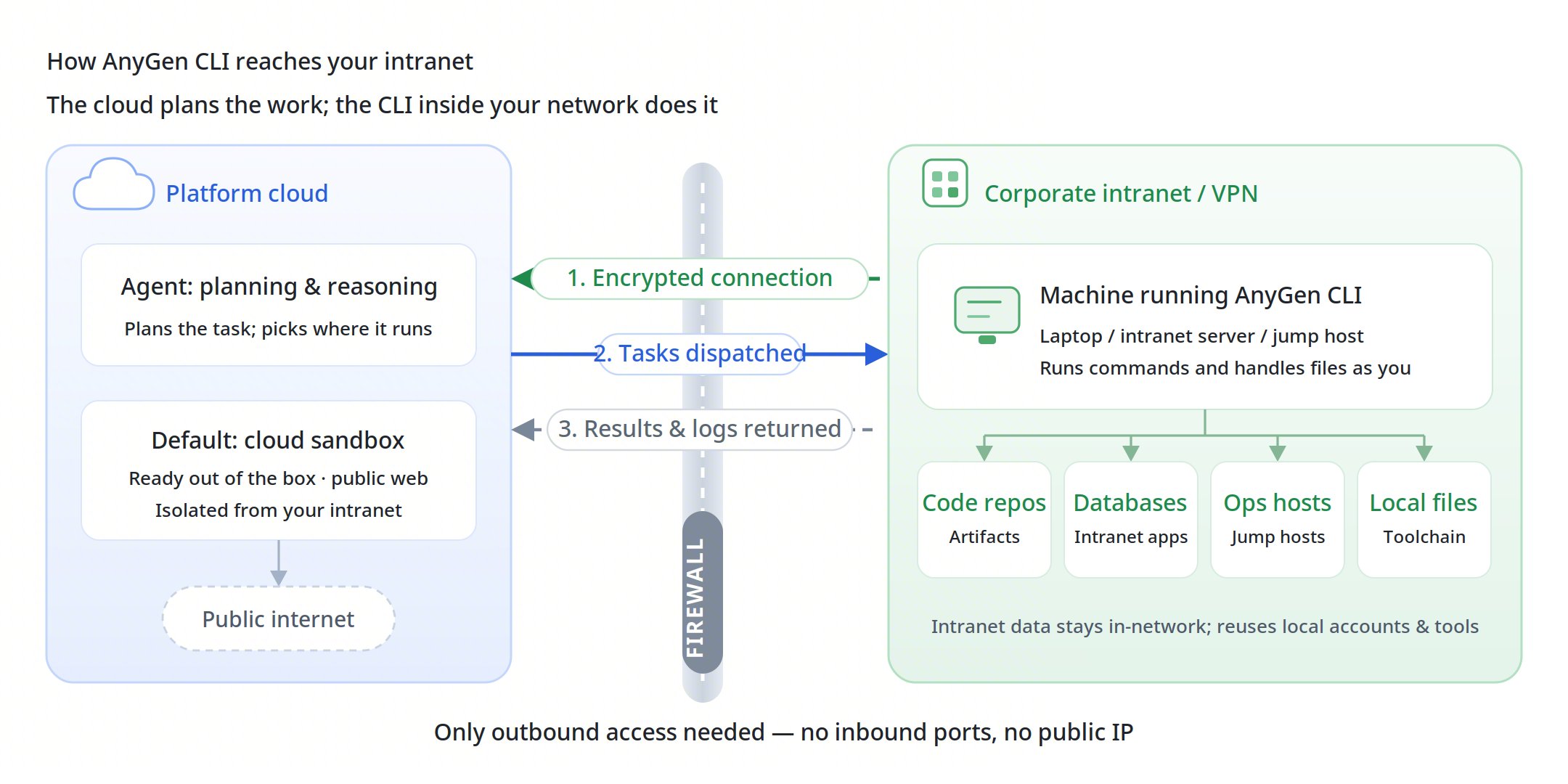
Quick Start
Desktop Client (CLI built in)Common Commands
Usage
Simply ask the agent which devices are available, then tell it in the conversation which device should run the task.Managing Multiple Devices
Once the CLI is installed, tasks can land on three kinds of environments: the public sandbox, shared internal devices, and your own private devices. The first two are open to everyone by default; only the owner can use a private device.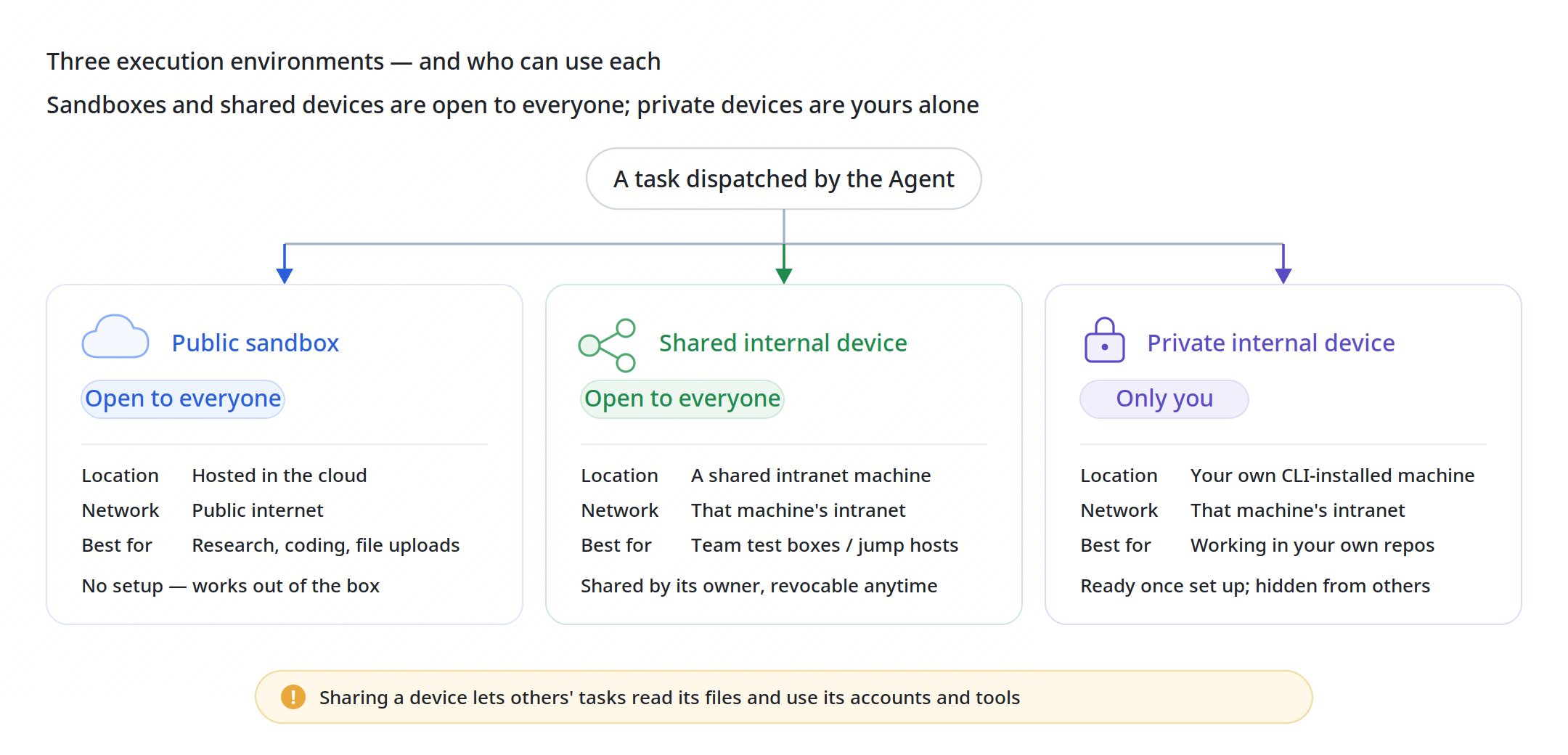
- Public sandbox. Hosted by the platform — nothing to install. It reaches the public internet but not your corporate intranet. When you don’t specify a device, tasks run here by default.
- Shared internal devices. When the owner of an intranet machine shares it, anyone can send tasks to run on it. This fits a team test machine or a jump host with specific intranet permissions — no need for every person to set up their own. Sharing is initiated by the device owner and can be revoked at any time.
- Your own private device. The machine where you installed the CLI following the steps above is yours alone by default: nobody else can see it or use it. Pick this when you need to work in your own project directories or reach systems only you have access to.